
How to add apps via group in G Suite?

In G Suite it is quite easy to create user groups and giving them appropriate apps for smooth functioning. You can create groups for particular teams and add apps via groups in G Suite. In this blog, you will learn how to add apps via groups in G Suite.

Total Time Needed: 15 Minutes
Required tools:
Things needed?
G Suite subscription
Steps to add apps via group in G Suite
Step 1 : Login Admin
Go to the admin console, and you can find the “Organizational unit” tab.
Click on the organizational unit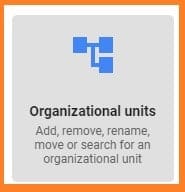
Go to “app” click on “G-suite”
Currently, we only have the sales group so we could click on sales and we could define a check.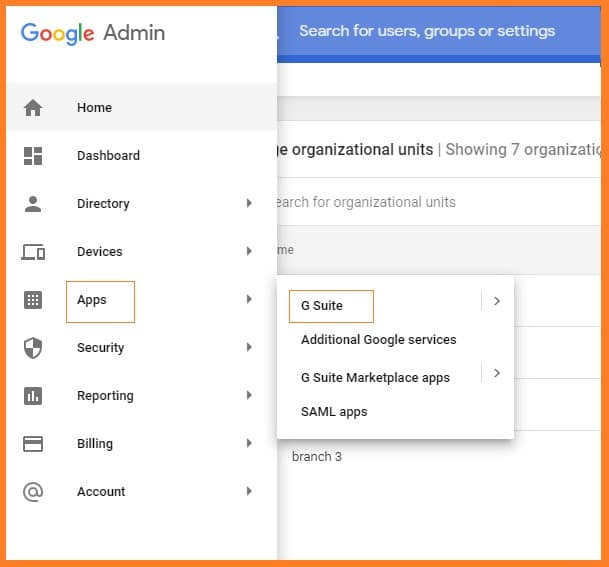
Currently, we only have the sales group so we could click on sales and we could define a check.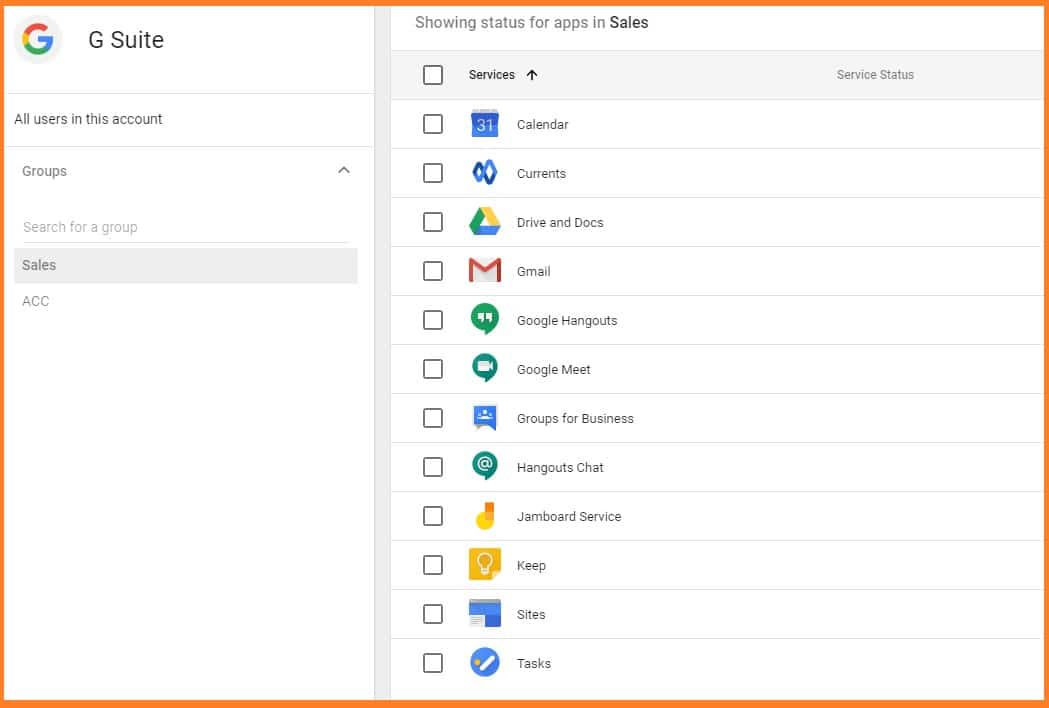
Step 2 : Create a Group
Go to the directory and click on the group and create a group, you have lots of different types of groups ten not just email groups that are just forum groups they can also be access groups.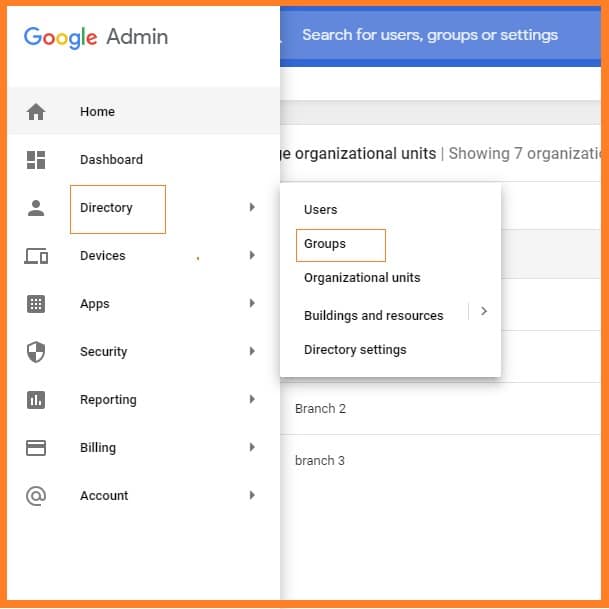
After filling all the detail, remove most of the permission according to you and click on create group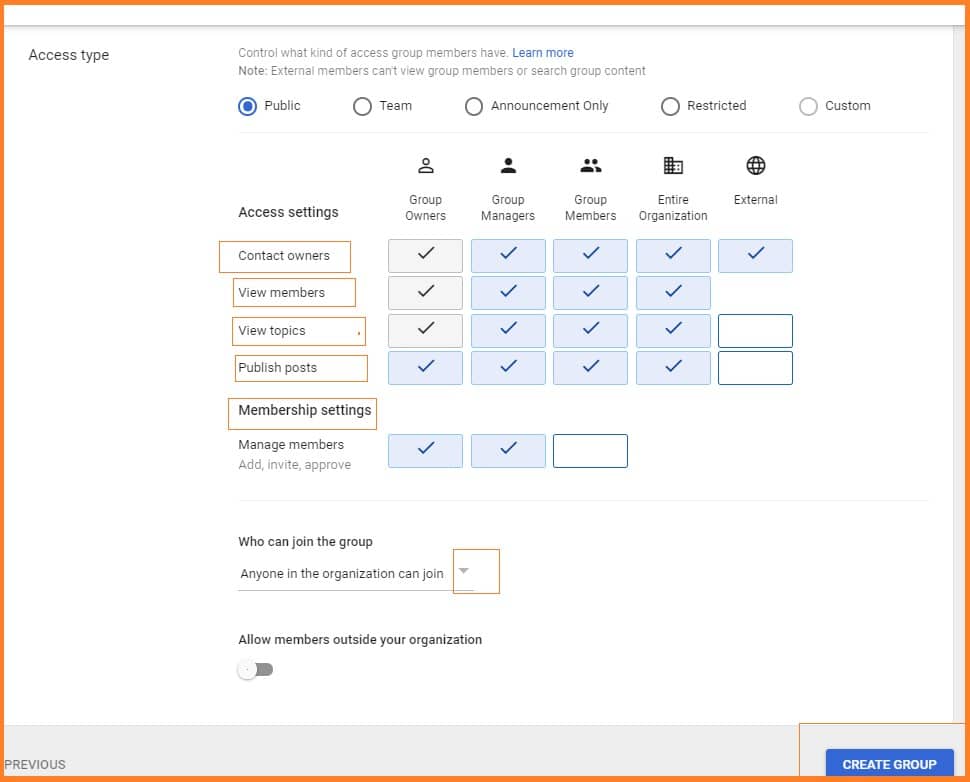
Step 3 : Add members
Click on Add members to “Acc-Sales- Keep"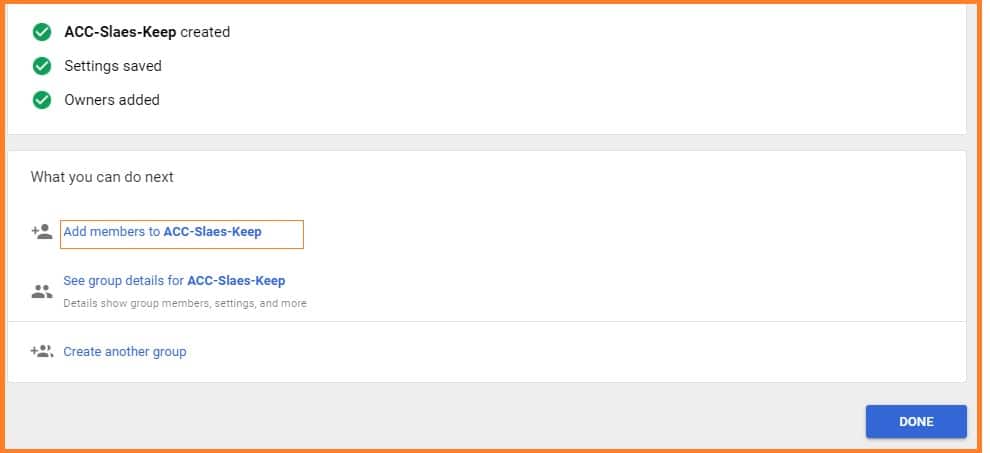
Step 4 : Add Group
Click on “plus” button and select users or group and click on “Add to Group”.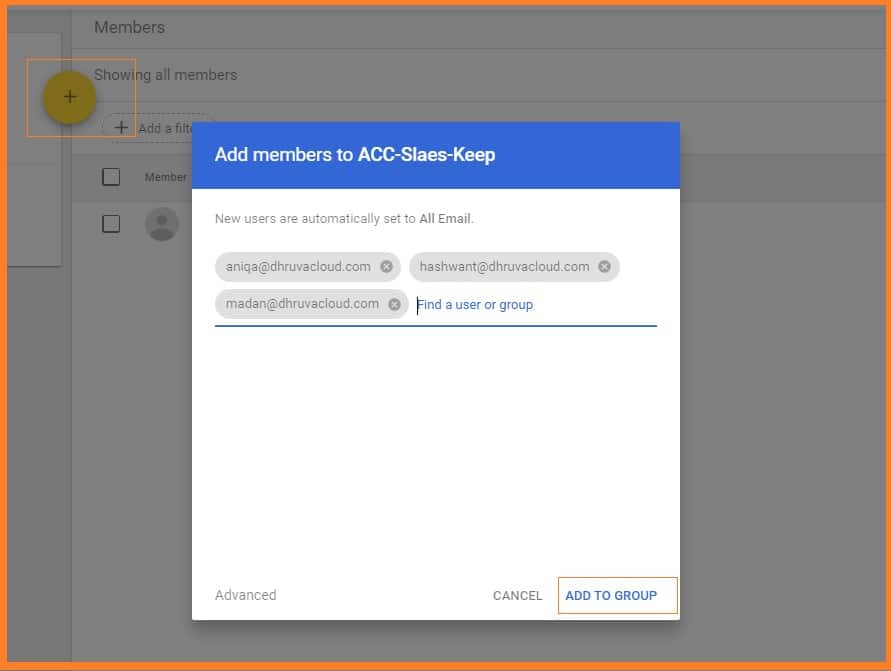
Step 5 : Add App to Group
Go to apps and click on G-Suite option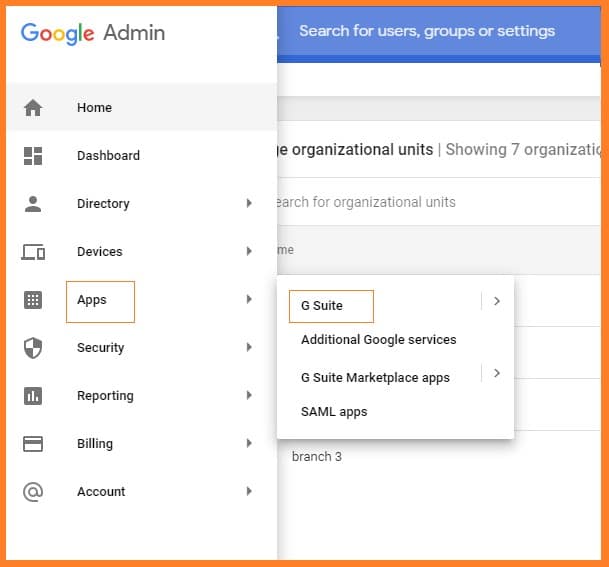
And select any app which you want to add in the group and click on (turn off for everyone)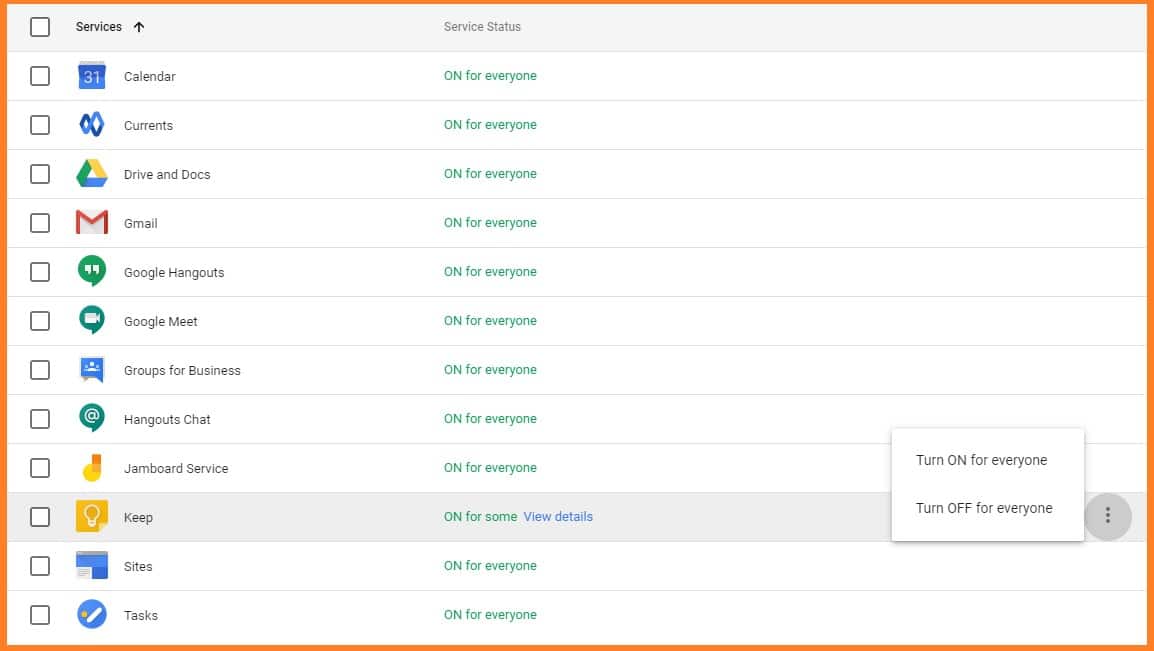
Step 6 : Give App Access
Select the created group and turn on the selected app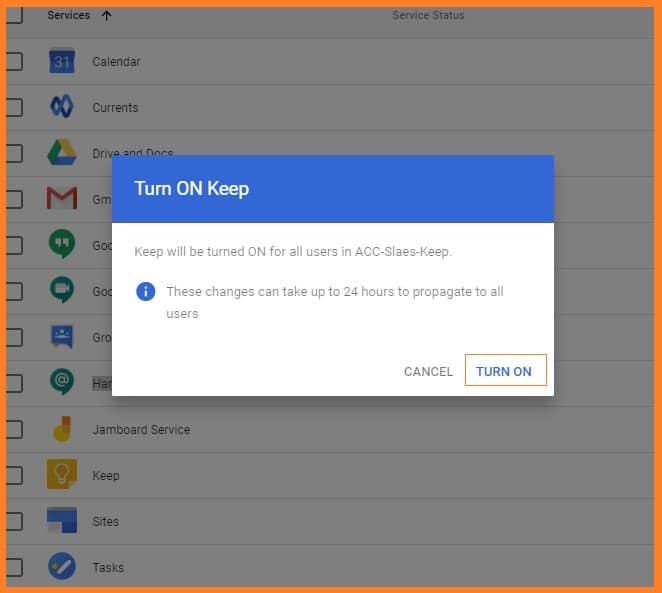
Conclusion
You can now add apps via Groups by following these steps. If you want any support to explore the features of G Suite reach us anytime. Medha Hosting is a trusted partner of Google and help you 24/7.
Read Here: How To Suspend And Delete Users In G Suite?
Topics
Sreenivasa Reddy G
Founder & CEO • 15+ years
Sreenivasa Reddy is the Founder and CEO of Medha Cloud, recognized as "Startup of the Year 2024" by The CEO Magazine. With over 15 years of experience in cloud infrastructure and IT services, he leads the company's vision to deliver enterprise-grade cloud solutions to businesses worldwide.
