
How to Manage G Suite users using GAM? (Google Apps Manager)

Managing users in G Suite is an important task. However, Google provides an exclusive application manager to handle all the functions of encompassing users. This document includes the complete Google Apps Manager actions such as adding, editing, suspending, and deleting the user through the command-line tool.

Total Time Needed: 30 Minutes
Required tools:
Internet Connection
G suite admin access
Things needed?
G Suite subscription.
Steps to Manage G Suite users using Google Apps Manager
Step 1 : Installing MSI
Download the MSI Installer from the GitHub Releases page. Install the MSI, and you'll be prompted to setup GAM.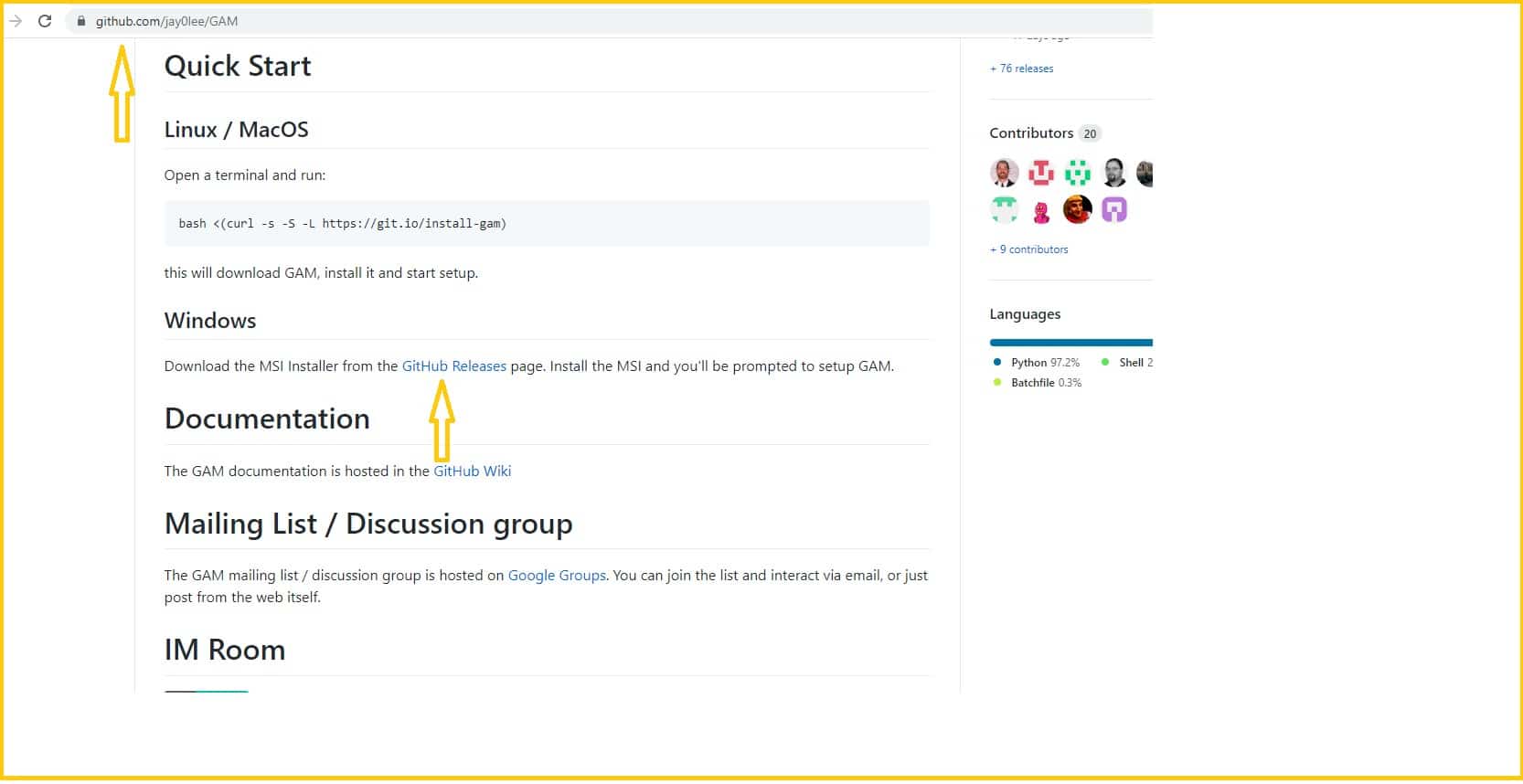
After clicking on GitHub releases, it will show the list of MSI installation links. We need to select gam-5.11-windows-X86_64.msi.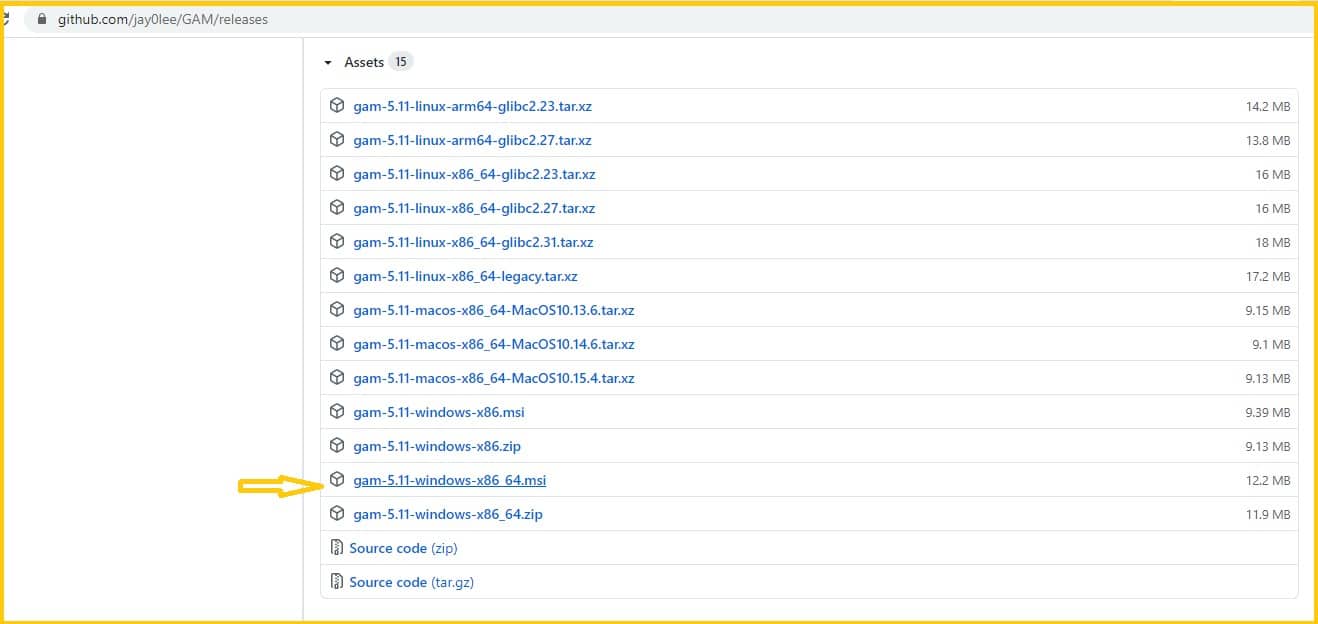
Step 2: Command Prompt
After MSI installation, the command prompt screen will appear. To enter the commands in the command prompt, please go through the screenshots below. And it will give the links automatically, you just copy the links and search in the browser.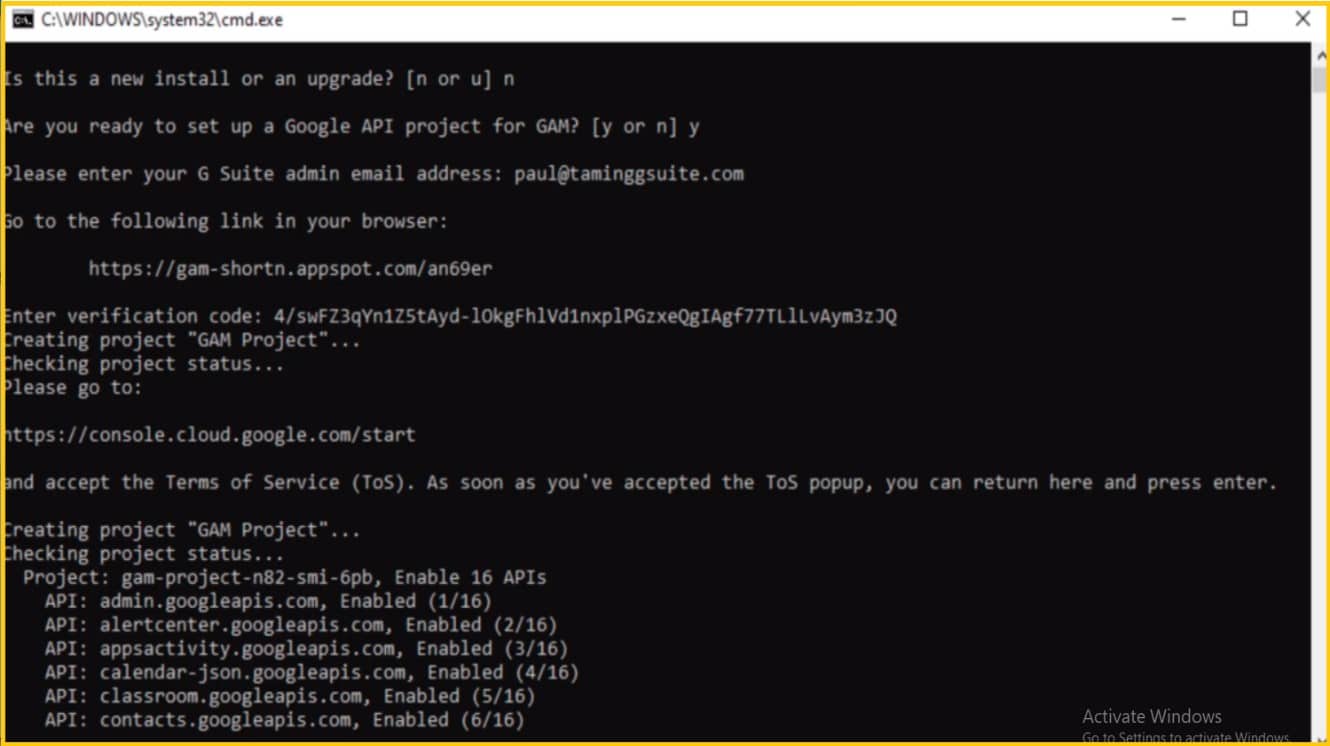
Step 3: Command view
Go to this website gamcheatsheet.com to view the commands that are used to do the operations in the command prompt!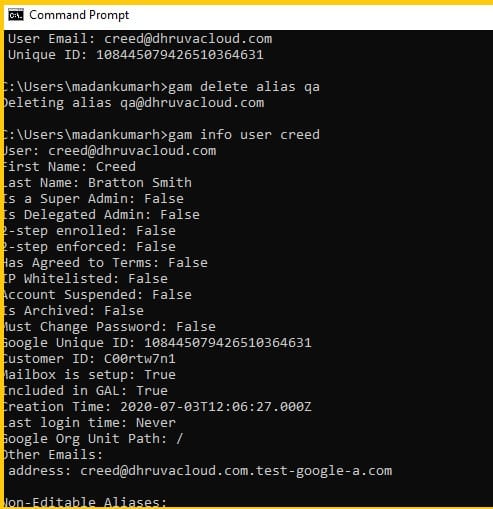
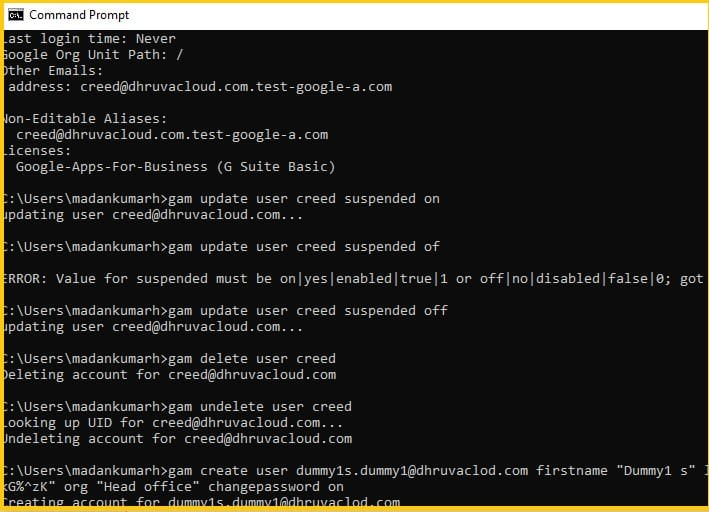
Step 4: Adding Bulk users
In this step, we are adding bulk users at a time using scripting – Removing spaces and dashes, and more… First, click on Google apps and choose sheets.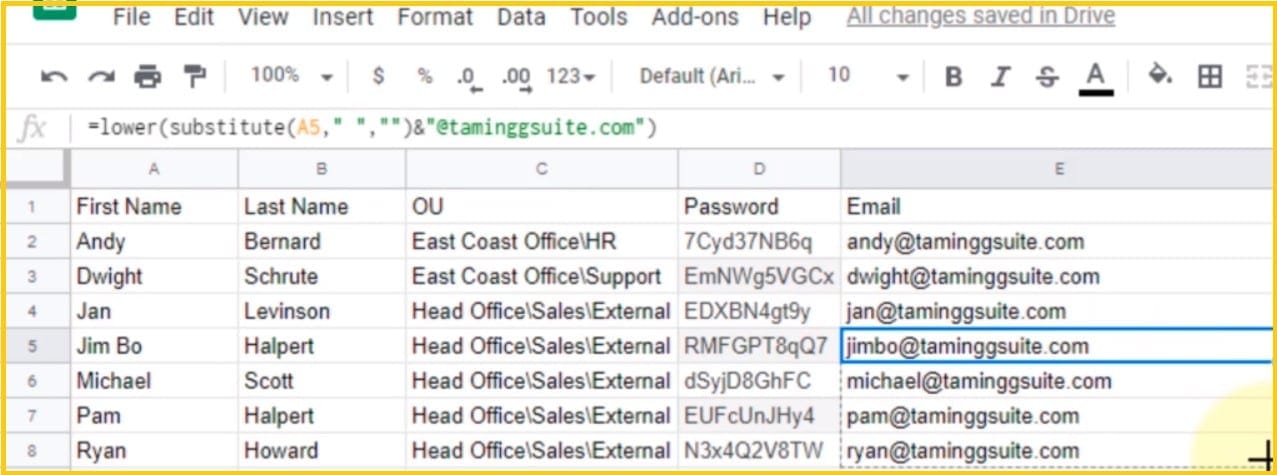
After applying this, click on the Email (user name), and drag to the same column to apply the formulae to apply for every row
Step 5: Create User Details
Open the command prompt and type the following to create the full user details in the Gsuite.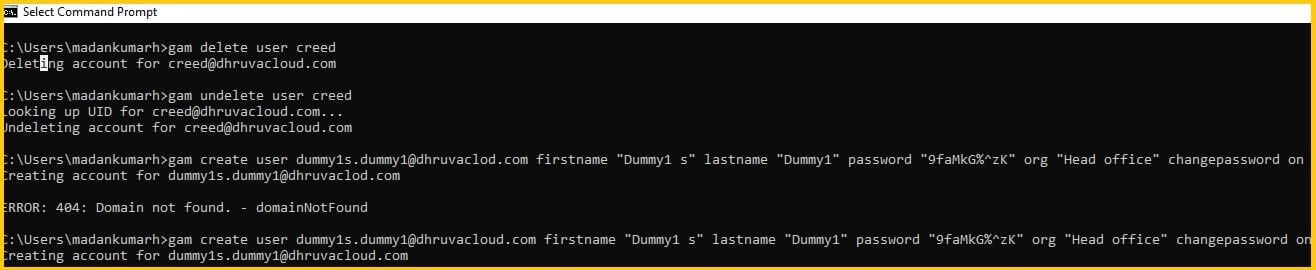
Conclusion:
Hope you got an idea about how to manage G Suite users using GAM (Google Apps manager). If you need any help to manage your G Suite account, feel free to contact Medha Hosting. Our G Suite experts are available 24/7 for you.
Read Here: How To Add Users To G Suite?
Topics
Sreenivasa Reddy G
Founder & CEO • 15+ years
Sreenivasa Reddy is the Founder and CEO of Medha Cloud, recognized as "Startup of the Year 2024" by The CEO Magazine. With over 15 years of experience in cloud infrastructure and IT services, he leads the company's vision to deliver enterprise-grade cloud solutions to businesses worldwide.
