18 essential BI tools for small business

Introduction
In today's data-driven world, small and medium-sized businesses (SMBs) are increasingly recognizing the importance of leveraging business intelligence (BI) tools to gain a competitive edge. These tools enable SMBs to harness the power of data analytics and make informed decisions that drive growth and success. In this article, we will explore the role of BI tools in SMB success, discuss key considerations for choosing the right tools, and provide a comprehensive review of the top 18 BI tools available in the market.
I. The role of BI tools in SMB success

BI tools play a pivotal role in helping SMBs optimize their operations, develop effective strategies, and drive growth. With the ability to collect, analyze, and visualize data, these tools empower SMBs to make data-driven decisions, identify trends, and uncover valuable insights. By leveraging BI tools, SMBs can:
- Improve operational efficiency: BI tools enable SMBs to streamline their processes, identify bottlenecks, and make data-backed improvements. With real-time dashboards and automated reporting, businesses can monitor key performance indicators (KPIs) and take proactive measures to enhance operational efficiency.
- Enhance customer experience: By analyzing customer data, SMBs can gain a deeper understanding of their target audience, personalize their offerings, and deliver exceptional customer experiences. BI tools enable businesses to segment customers, track their preferences, and identify opportunities for upselling or cross-selling.
- Optimize sales and marketing efforts: With BI tools, SMBs can analyze sales data, identify the most profitable customer segments, and optimize their marketing campaigns. These tools provide insights into customer behavior, enabling businesses to target their marketing efforts more effectively and allocate resources efficiently.
- Identify business opportunities: BI tools help SMBs identify emerging trends, market opportunities, and potential risks. By analyzing market data, competitors, and consumer behavior, businesses can make informed decisions about product development, market expansion, and new business ventures.
- Track and measure performance: BI tools enable SMBs to monitor and measure their performance against predefined goals and benchmarks. With customizable dashboards and visualizations, businesses can track KPIs, identify performance gaps, and take corrective actions in real-time.
II. Key considerations for choosing BI tools
When selecting BI tools for SMBs, there are several key considerations to keep in mind. These factors will ensure that the chosen tools align with the specific needs and requirements of the business. The following are some important considerations to consider:
- Scalability and customization: SMBs should choose BI tools that can scale with their growing data needs. The tools should also offer customization options, allowing businesses to tailor the analytics and reporting features to their unique requirements.
- Affordability: Cost is a crucial factor for SMBs. It's important to choose BI tools that offer a good balance between price and functionality. Some tools offer tiered pricing plans, allowing businesses to start small and upgrade as their data needs grow.
- User-friendliness and support: SMBs should opt for BI tools that are user-friendly and intuitive. The tools should have a short learning curve, enabling employees to quickly adopt and utilize the platform. Additionally, it's crucial to take into account the vendor of the tool's customer support offerings and their caliber.
- Data integration capabilities: Integration with existing data sources is vital for SMBs. The chosen BI tools should seamlessly integrate with various data platforms, databases, and applications used by the business. This ensures that the tools can access and analyze all relevant data sources.
- Analytics and visualization features: The effectiveness of BI tools lies in their ability to analyze data and present insights visually. SMBs should look for tools that offer advanced analytics capabilities, such as predictive analytics and AI-powered algorithms. The tools should also provide a wide range of visualization options to make data more understandable and actionable.
III. Comprehensive review of the top 18 BI tools
In this section, we will provide a comprehensive review of the top 18 BI tools available for data-savvy SMBs. Each tool will be introduced, and key features, pricing information, pros, and cons will be discussed. This review will help SMBs make an informed decision when choosing the right BI tool for their business.
1. Tableau
Introduction
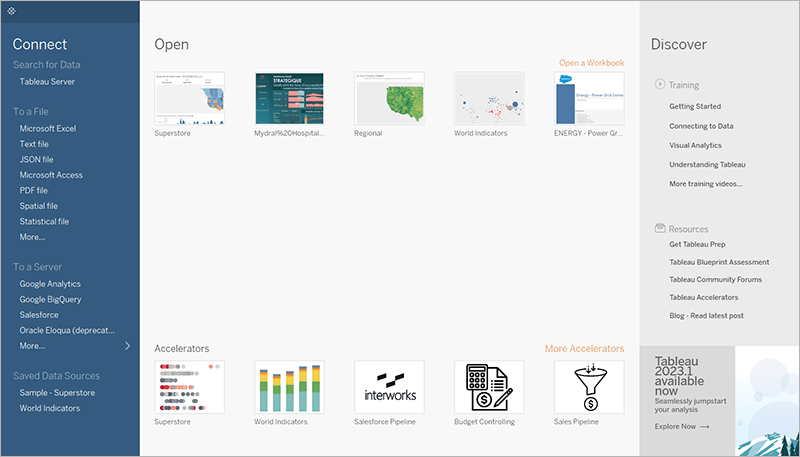
Tableau is a leading BI tool that offers powerful data visualization and analytics capabilities.
Key features
- intuitive drag-and-drop interface for easy data exploration and visualization.
- seamless integration with various data sources, including spreadsheets, databases, and cloud services.
- Advanced analytics features, such as predictive analytics and statistical modeling.
- Interactive dashboards and reports for real-time data monitoring and analysis.
Pricing
Tableau offers various pricing plans, including a free trial and subscription-based options tailored to SMBs' needs, click on
Pros
- easy-to-use interface, suitable for users with no coding or technical skills.
- robust visualization options, allowing users to create compelling charts, graphs, and maps.
- active user community and extensive online resources for support and learning.
Cons
- Higher pricing compared to some other BI tools in the market.
- Steeper learning curve for advanced features and functionalities.
Get a free quote
Discover how Tableau can transform your data into actionable insights. Get a quote and start your journey towards data-driven decision-making today!
Learn more about Tableau
Image Gallery
2. Power BI (Microsoft)
Introduction
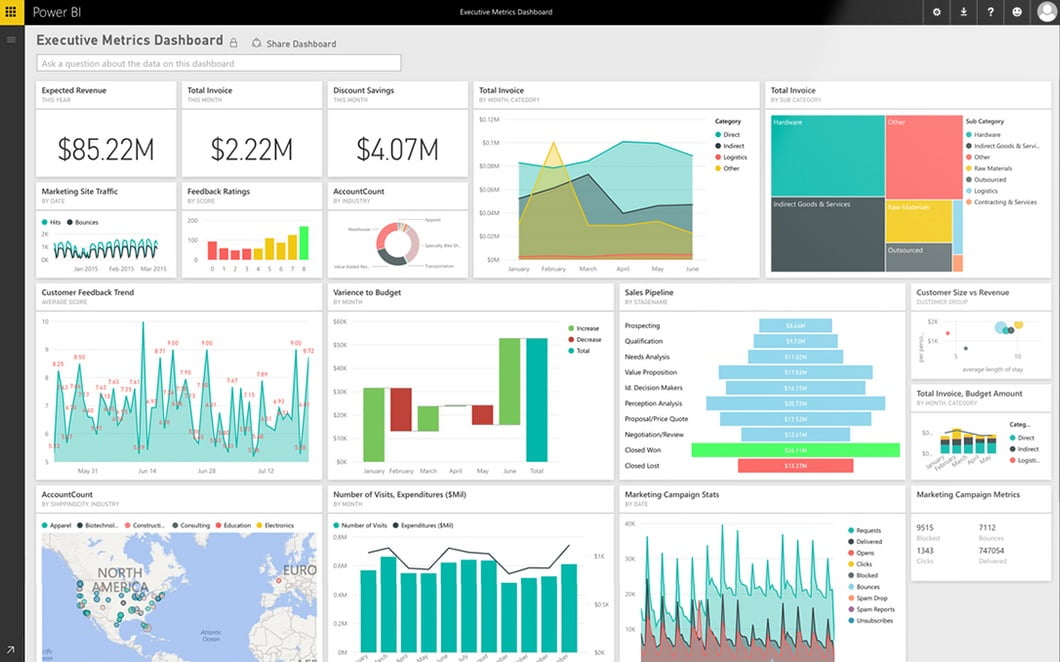
Microsoft offers Power BI, a comprehensive BI tool that enables SMBs to transform data into useful insights.
Key features
- seamless integration with Microsoft products, such as Excel, Azure, and Dynamics 365.
- Natural language querying for easy data exploration and analysis.
- robust collaboration features, allowing teams to share and collaborate on reports and dashboards.
- AI-powered insights for automated data analysis and anomaly detection.
Pricing
Power BI offers both free and paid plans, with flexible pricing options based on user needs.
Pros
- Deep integration with Microsoft's ecosystem, making it easy to work with existing data sources.
- user-friendly interface and intuitive drag-and-drop functionality.
- strong security and compliance features, ensuring data privacy and protection.
Cons
- There are limited customization options for visualizations compared to some other tools.
- Some advanced features require technical expertise or additional training.
Get a free quote
Ready to leverage your data with Microsoft's Power BI? Get your personalized quote and unlock the power of your data now!
Learn more about Power BI
Image Gallery
3. QlikView
Introduction
QlikView is a popular self-service BI tool that provides interactive data exploration and visualization capabilities.
Key features
- associative data model for quick and flexible data exploration.
- In-memory data processing for fast and efficient analysis.
- Advanced data visualization options include interactive charts, graphs, and maps.
- collaboration features for sharing and discussing insights within teams.
Pricing
QlikView offers customized pricing based on individual business requirements.
Pros
- Powerful data discovery capabilities, allowing users to explore data from multiple angles.
- easy-to-use drag-and-drop interface for creating interactive visualizations.
- scalable architecture, accommodating growing data needs.
Cons
- Steeper learning curve for users new to data analysis and visualization.
- There is limited support for cloud-based data sources.
Get a free quote
Explore the dynamic world of data with QlikView. Request a quote and elevate your business intelligence strategy!
Learn more about QlikView
Image Gallery
4. Looker (Google Cloud)
Introduction
Looker is a cloud-native BI tool that offers a modern approach to data analytics and exploration.
Key features
- Data modeling layer for creating reusable and scalable data models.
- SQL-based query language for advanced data manipulation and analysis.
- embedded analytics capabilities for integrating data and insights into existing applications.
- collaboration features for sharing and discussing data within teams.
Pricing
Looker provides customized pricing based on individual business requirements.
Pros
- powerful data modeling capabilities, enabling users to create complex data models.
- collaborative and interactive interface, fostering teamwork and knowledge sharing.
- seamless integration with Google Cloud Platform services.
Cons
- steep learning curve for users with limited SQL knowledge.
- There are limited customization options for visualizations compared to some other tools.
Get a free quote
Take your data analytics to the next level with Looker. Get a quote and integrate powerful insights into your business processes!
Learn more about Looker
Image Gallery
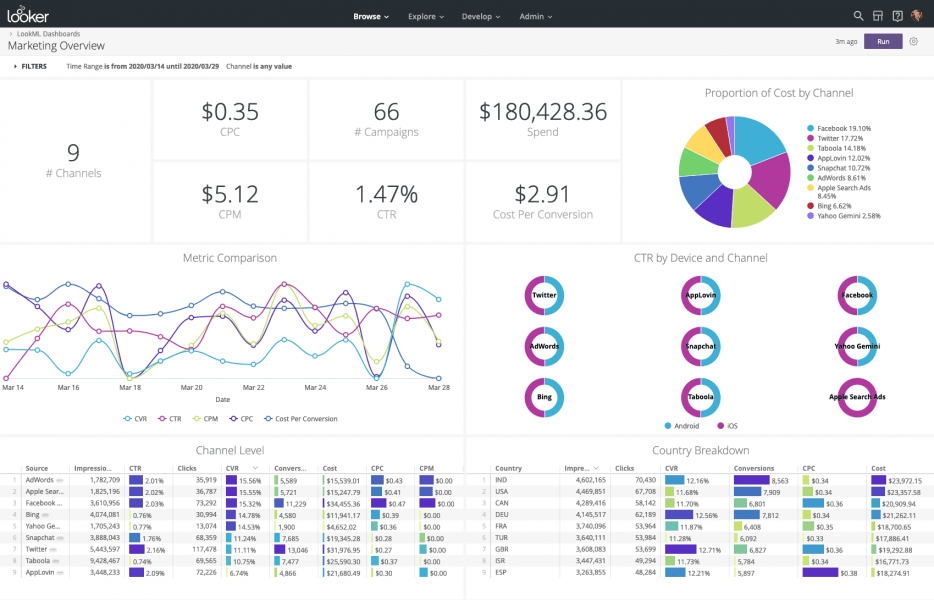
5. Domo
Introduction
Domo is a cloud-based BI platform that offers a wide range of data analytics and visualization capabilities.
Key features
- centralized data hub for integrating and connecting data from various sources.
- drag-and-drop interface for creating personalized dashboards and reports.
- collaboration features for sharing insights and collaborating within teams.
- mobile app for accessing and interacting with data on-the-go.
Pricing
Domo offers customized pricing based on individual business requirements.
Pros
- user-friendly interface, suitable for users with varying technical skills.
- real-time data updates and alerts for proactive decision-making.
- extensive library of pre-built connectors for seamless data integration.
Cons
- There are limited customization options for visualizations compared to some other tools.
- higher pricing compared to some other BI tools on the market.
Get a free quote
Transform your business with Domo's real-time insights. Request your quote and start making smarter decisions today!
Learn more about Domo
Image Gallery
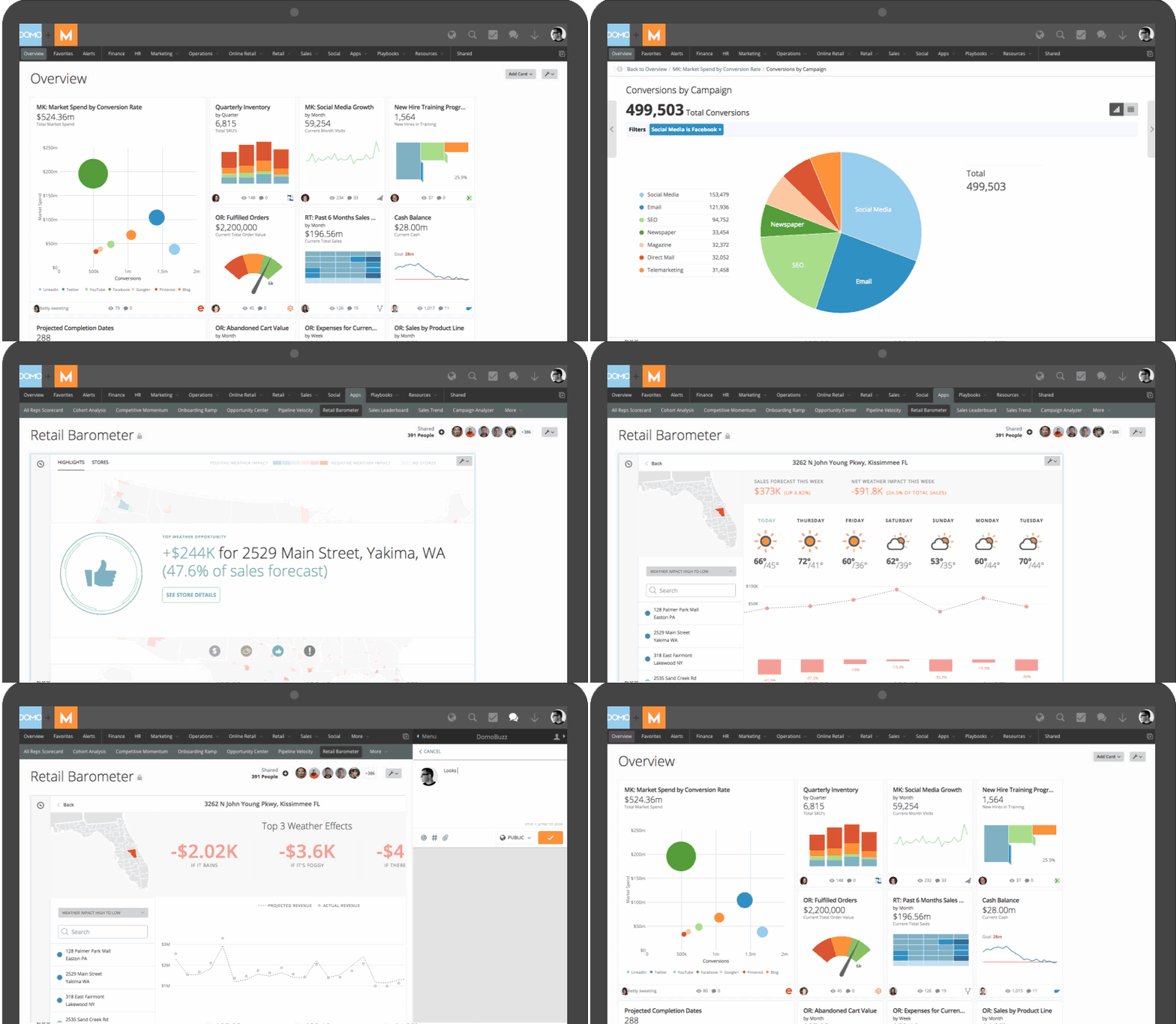
6. Sisense
Introduction
Sisense is an agile BI tool that offers powerful analytics and visualization capabilities.
Key features
- in-chip analytics engine for fast and efficient data processing.
- drag-and-drop interface for easy data exploration and visualization.
- AI-powered insights and recommendations for automated analysis.
- White-labeling options for embedding analytics into existing applications.
Pricing
Sisense offers customized pricing based on individual business requirements.
Pros
- high-performance analytics engine, enabling users to analyze large datasets quickly.
- There are extensive customization options for visualizations and dashboards.
- scalable architecture, accommodating growing data needs.
Cons
- a steep learning curve for users new to data analysis and visualization.
- limited integration options with certain data sources.
Get a free quote
Unleash the potential of your data with Sisense. Get a customized quote and drive your business forward with advanced analytics!
Learn more about Sisense
Image Gallery
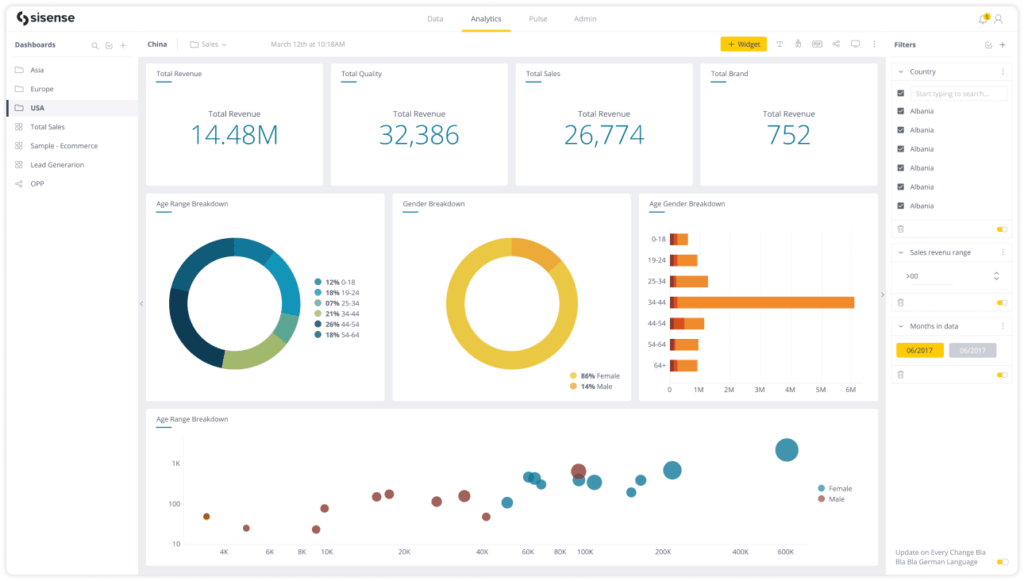
7. Yellowfin BI
Introduction
Yellowfin BI is a comprehensive BI platform that offers data discovery, analysis, and reporting capabilities.
Key features
- Collaborative analytics and storytelling features for sharing insights with stakeholders.
- advanced reporting capabilities, including pixel-perfect reports and interactive dashboards.
- mobile app for accessing and interacting with data on-the-go.
- Embedded analytics options for integrating data and insights into existing applications.
Pricing
Yellowfin BI offers customized pricing based on individual business requirements.
Pros
- intuitive interface and user-friendly design, making it easy to navigate and use.
- robust security features, ensuring data privacy and protection.
- active user community and extensive online resources for support and learning.
Cons
- There are limited customization options for visualizations compared to some other tools.
- a steep learning curve for advanced features and functionalities.
Get a free quote
Elevate your BI experience with Yellowfin. Request a quote and join the future of data-driven decision-making!
Learn more about Yellowfin
Image Gallery
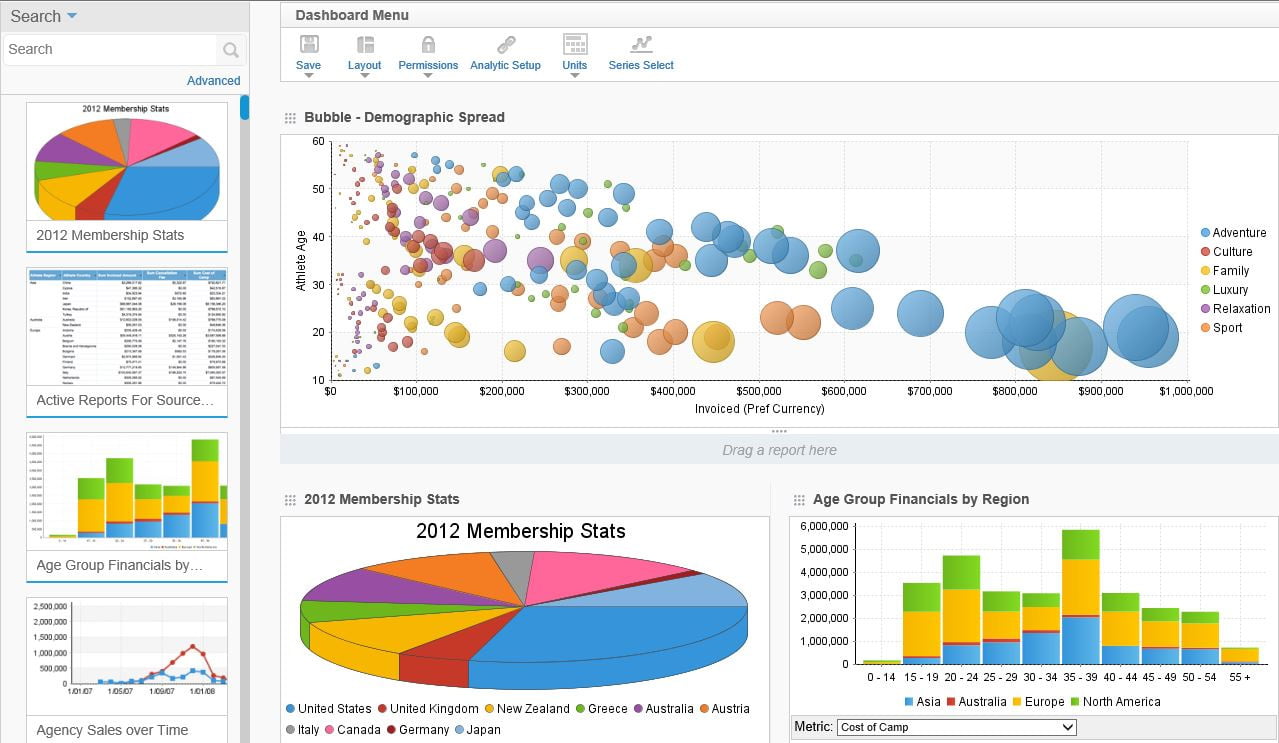
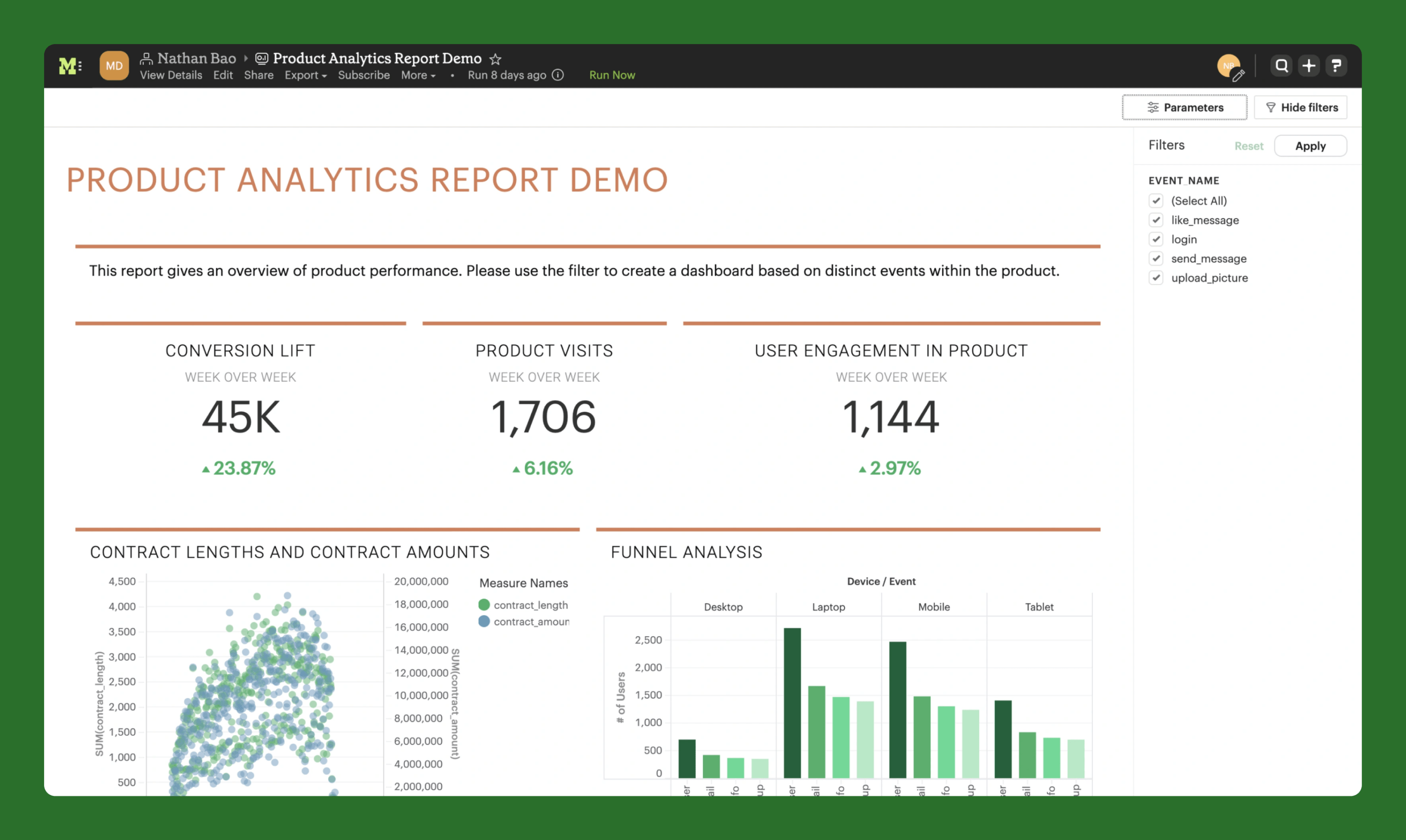
8. Mode Analytics
Introduction
Mode Analytics is a powerful BI tool that offers SQL-based analytics and collaboration features.
Key features
- SQL-based query editor for advanced data analysis and manipulation.
- collaboration features for sharing and discussing insights within teams.
- visualizations and dashboards for data exploration and reporting.
- Embedded analytics options for integrating data and insights into existing applications.
Pricing
Mode Analytics offers customized pricing based on individual business requirements.
Pros
- strong SQL capabilities, allowing users to leverage their SQL knowledge.
- user-friendly interface and intuitive data exploration features.
- Extensive sharing and collaboration options are available for team-based analytics.
Cons
- There is limited support for non-SQL data sources.
- Some advanced features require technical expertise or additional training.
Get a free quote
Harness the power of SQL-based analytics with Mode Analytics. Get your quote and collaborate effectively on your data projects!
Learn more about Mode Analytics
Image Gallery
9. Klipfolio
Introduction
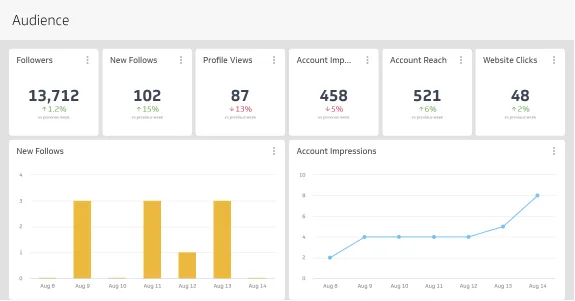
Klipfolio is a cloud-based dashboard and reporting tool that provides real-time data analytics and visualization.
Key features
- drag-and-drop interface for creating custom dashboards and reports.
- pre-built data connectors for seamless integration with popular data sources.
- collaboration features for sharing insights and collaborating within teams.
- mobile app for accessing and interacting with data on-the-go.
Pricing
Klipfolio offers tiered pricing plans based on the number of users and data sources.
Pros
- easy-to-use interface, suitable for users with varying technical skills.
- real-time data updates and alerts for proactive decision-making.
- extensive library of pre-built visualizations and dashboard templates.
Cons
- There are limited customization options for visualizations compared to some other tools.
- limited advanced analytics capabilities compared to some other tools.
Get a free quote
Visualize success with Klipfolio's real-time dashboards. Request your pricing plan and bring your data to life!
Learn more about Klipfolio
Image Gallery
10. Databox
Introduction
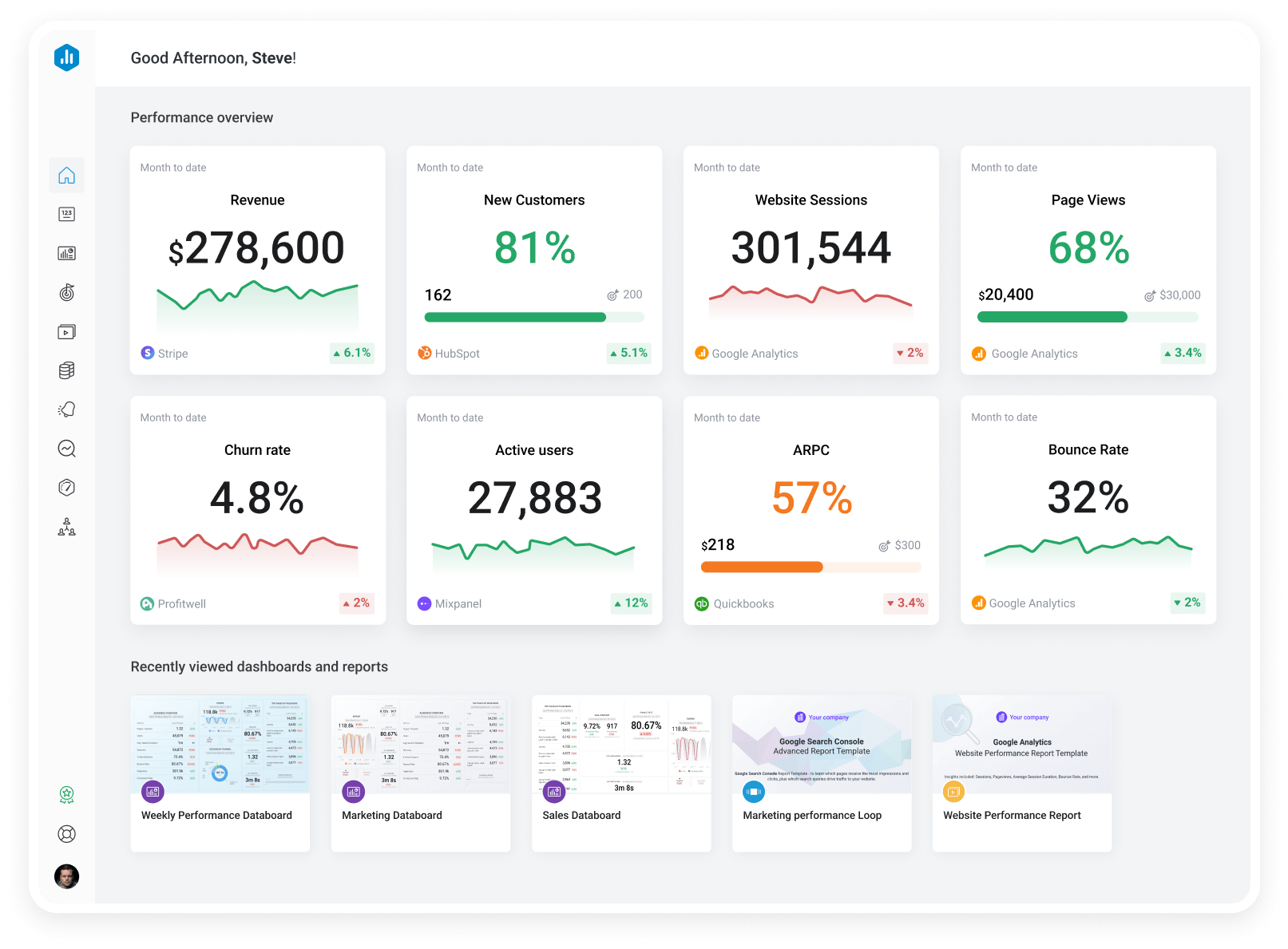
Databox is a cloud-based business analytics platform that offers real-time data insights and visualizations.
Key features
- pre-built data connectors for seamless integration with popular data sources.
- drag-and-drop interface for customizable dashboards and reports.
- mobile app for accessing and interacting with data on-the-go.
- collaboration features for sharing insights and collaborating within teams.
Pricing
Databox offers tiered pricing plans based on the number of users and data sources.
Pros
- user-friendly interface and intuitive data exploration features.
- real-time data updates and alerts for proactive decision-making.
- extensive library of pre-built visualizations and dashboard templates.
Cons
- There are limited customization options for visualizations compared to some other tools.
- limited advanced analytics capabilities compared to some other tools.
Get a free quote
Track your business performance effortlessly with Databox. Explore pricing options and stay ahead with real-time insights!
Learn more about Databox
Image Gallery
11. Zoho Analytics
Introduction
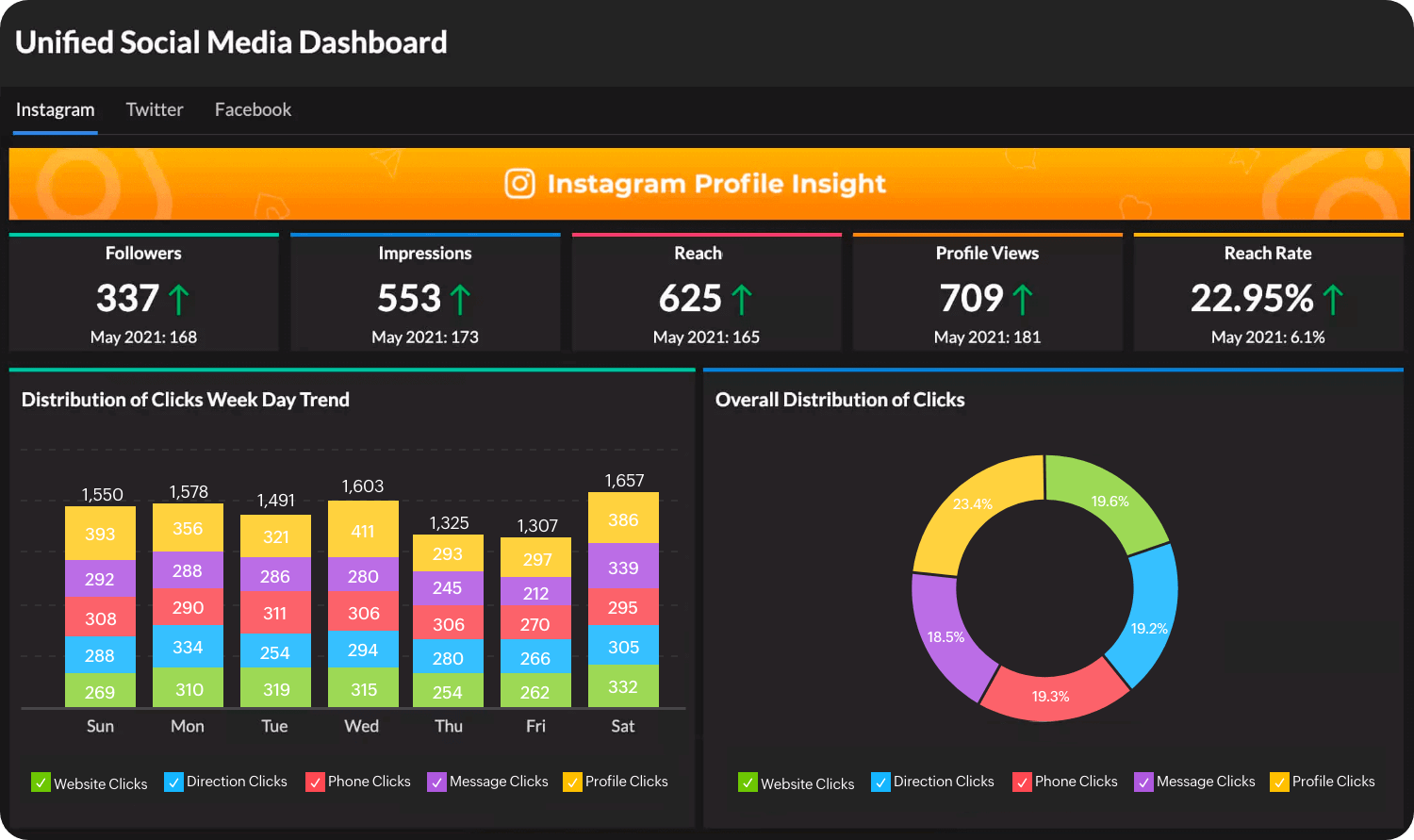
Zoho Analytics is a self-service BI and analytics platform that enables SMBs to analyze and visualize data.
Key features
- drag-and-drop interface for easy data exploration and visualization.
- advanced analytics capabilities, including predictive analytics and AI-powered insights.
- collaboration features for sharing insights and collaborating within teams.
- Embedded analytics options for integrating data and insights into existing applications.
Pricing
Zoho Analytics offers various pricing plans, including a free trial and subscription-based options tailored to SMBs' needs.
Pros
- intuitive interface and user-friendly design, making it easy to navigate and use.
- There are extensive customization options for visualizations and dashboards.
- scalable architecture, accommodating growing data needs.
Cons
- a steep learning curve for users new to data analysis and visualization.
- There is limited support for non-structured data sources.
Get a free quote
Dive into data analysis with Zoho Analytics. Get a quote and discover the power of intelligent analytics!
Learn more about Zoho Analytics
Image Gallery
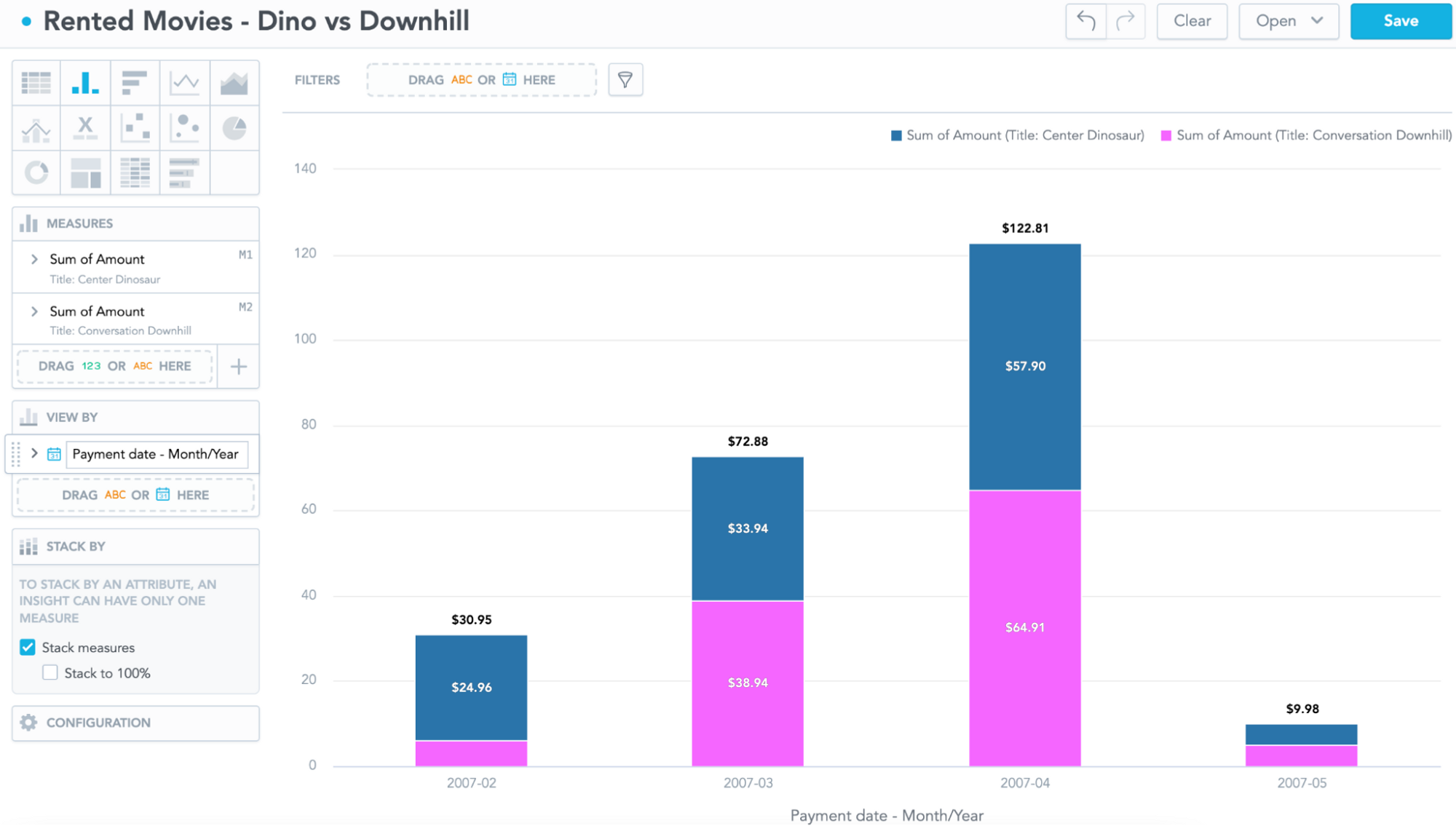
12. GoodData
Introduction
GoodData is a cloud-based analytics platform that provides end-to-end BI and data analytics solutions.
Key features
- pre-built data connectors for seamless integration with popular data sources.
- advanced analytics capabilities, including predictive analytics and AI-powered insights.
- collaboration features for sharing insights and collaborating within teams.
- Embedded analytics options for integrating data and insights into existing applications.
Pricing
GoodData offers customized pricing based on individual business requirements.
Pros:
- powerful analytics and reporting capabilities, suitable for complex data analysis.
- scalable architecture, accommodating growing data needs.
- strong security and compliance features, ensuring data privacy and protection.
Cons
- a steep learning curve for users new to data analysis and visualization.
- There are limited customization options for visualizations compared to some other tools.
Get a free quote
Achieve comprehensive BI solutions with GoodData. Request a quote and make data your most valuable asset!
Learn more about GoodData
Image Gallery
13. MicroStrategy
Introduction
MicroStrategy is a comprehensive enterprise BI platform that offers data analytics and reporting capabilities.
Key features
- robust data analytics engine for fast and efficient data processing.
- advanced analytics capabilities, including predictive analytics and AI-powered insights.
- collaboration features for sharing insights and collaborating within teams.
- Embedded analytics options for integrating data and insights into existing applications.
Pricing
MicroStrategy offers customized pricing based on individual business requirements.
Pros
- powerful analytics engine, enabling users to analyze large and complex datasets.
- There are extensive customization options for visualizations and dashboards.
- scalable architecture, accommodating growing data needs.
Cons
- a steep learning curve for users new to data analysis and visualization.
- higher pricing compared to some other BI tools on the market.
Get a free quote
Empower your enterprise with MicroStrategy's robust analytics. Get your customized quote and lead with data!
Learn more about MicroStrategy
Image Gallery
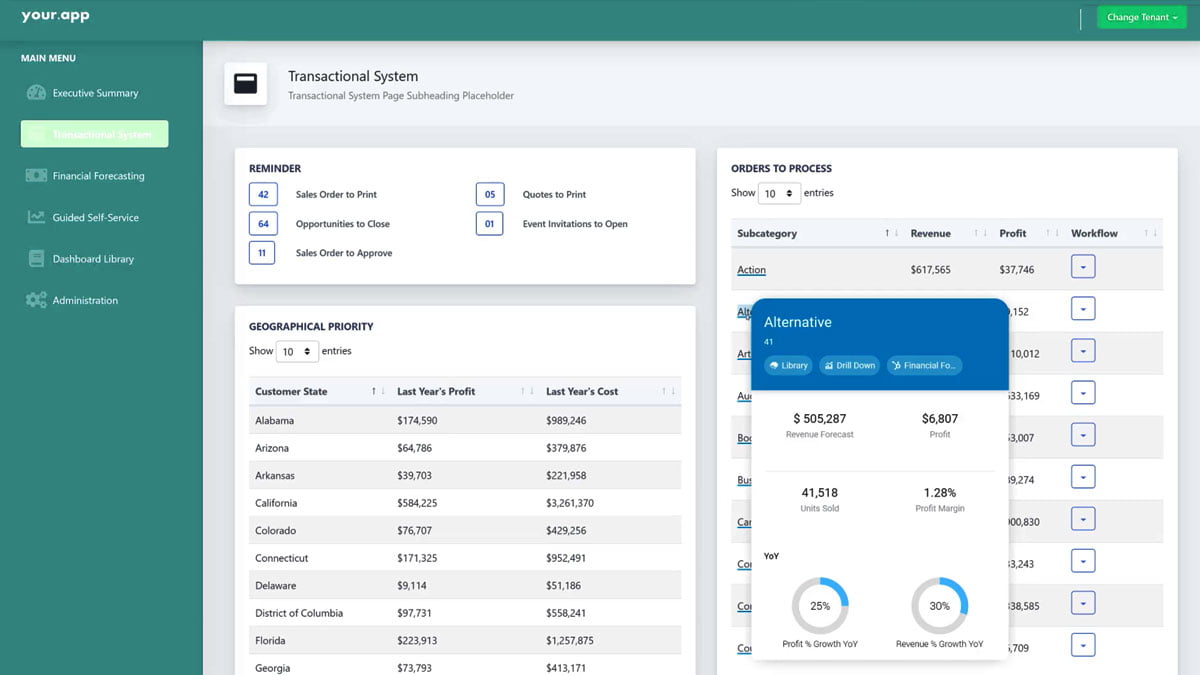
14. Sisense
Introduction
Sisense is an agile BI tool that offers powerful analytics and visualization capabilities.
Key features
- in-chip analytics engine for fast and efficient data processing.
- drag-and-drop interface for easy data exploration and visualization.
- AI-powered insights and recommendations for automated analysis.
- White-labeling options for embedding analytics into existing applications.
Pricing
Sisense offers customized pricing based on individual business requirements.
Pros
- high-performance analytics engine, enabling users to analyze large datasets quickly.
- There are extensive customization options for visualizations and dashboards.
- scalable architecture, accommodating growing data needs.
Cons
- a steep learning curve for users new to data analysis and visualization.
- limited integration options with certain data sources.
Get a free quote
Unleash the potential of your data with Sisense. Get a customized quote and drive your business forward with advanced analytics!
Learn more about Sisense
Image Gallery
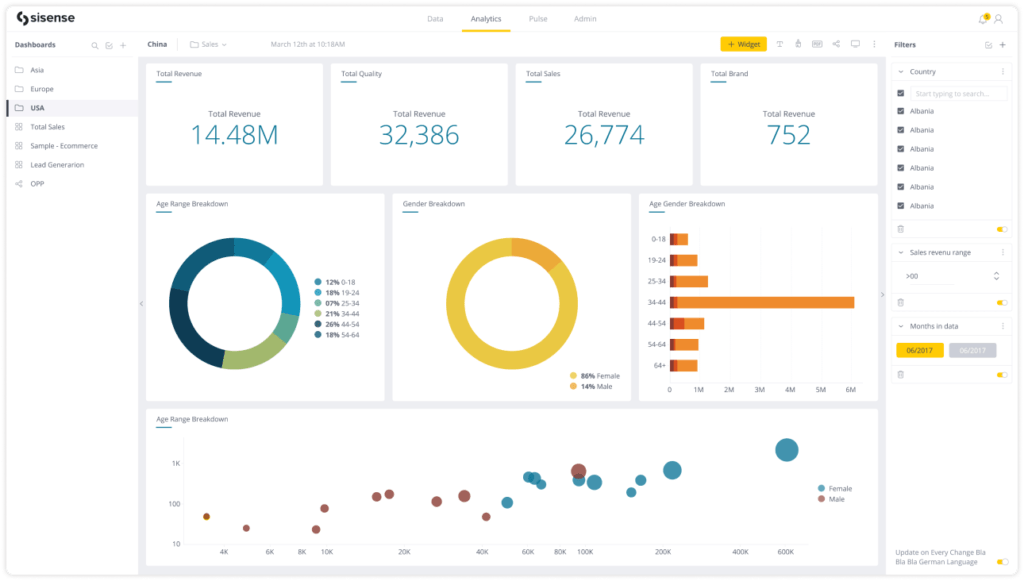
15. SAP Analytics Cloud
Introduction
SAP Analytics Cloud is a comprehensive BI and analytics platform that SAP offers.
Key features
- advanced analytics capabilities, including predictive analytics and AI-powered insights.
- collaborative and interactive interface, fostering teamwork and knowledge sharing.
- Embedded analytics options for integrating data and insights into existing applications.
- robust security and compliance features, ensuring data privacy and protection.
Pricing
SAP Analytics Cloud offers customized pricing based on individual business requirements.
Pros
- deep integration with other SAP products and services, ensuring seamless data flow.
- user-friendly interface and intuitive drag-and-drop functionality.
- scalable architecture, accommodating growing data needs.
Cons
- a steep learning curve for users new to SAP products and services.
- higher pricing compared to some other BI tools on the market.
Get a free quote
Integrate seamless analytics with SAP Analytics Cloud. Request a quote and revolutionize your business intelligence!
Learn more about SAP Analytics Cloud
Image Gallery
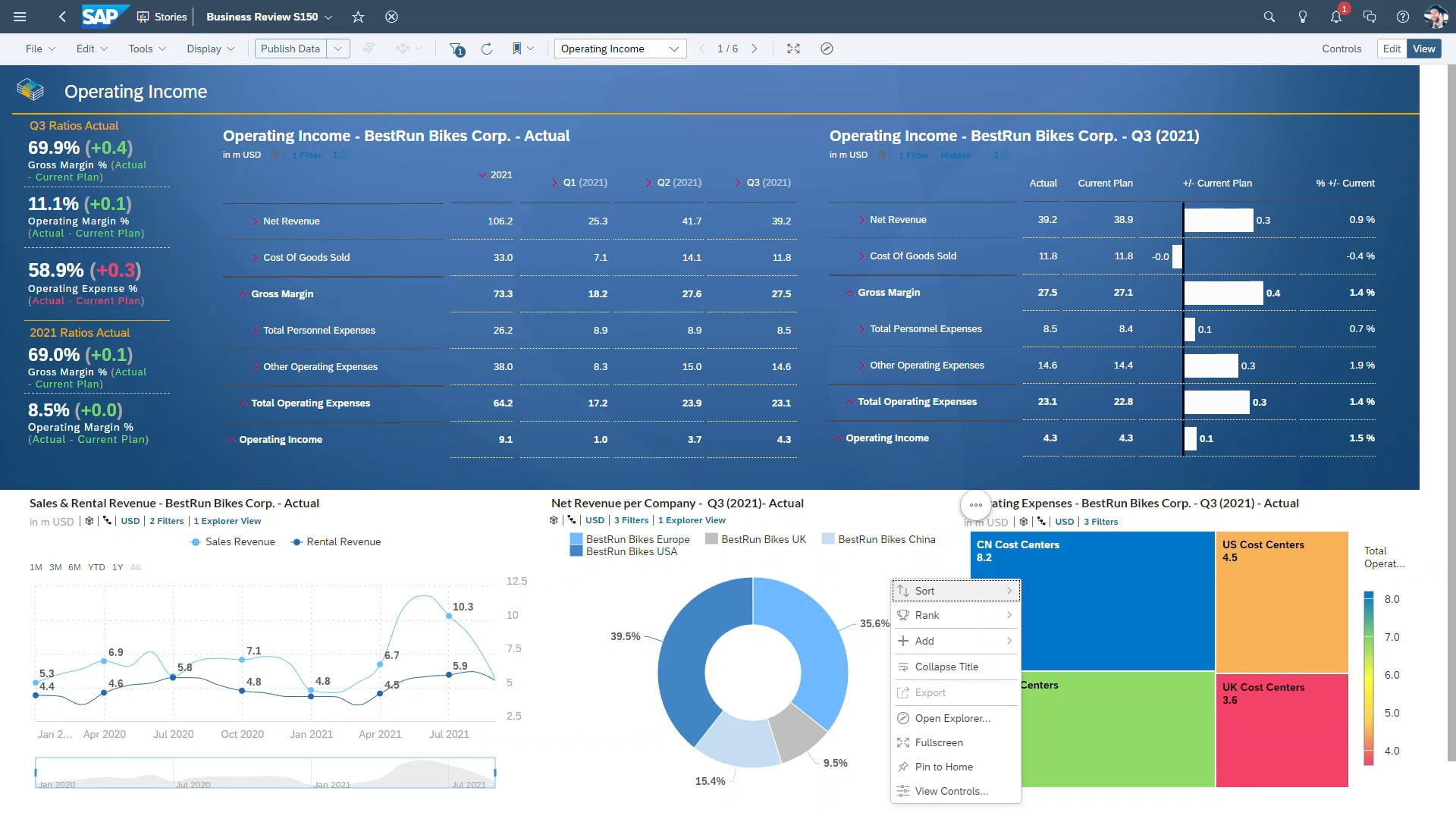
16. IBM Cognos Analytics
Introduction
IBM Cognos Analytics is a comprehensive BI and analytics platform that IBM offers.
Key features
- advanced analytics capabilities, including predictive analytics and AI-powered insights.
- collaborative and interactive interface, fostering teamwork and knowledge sharing.
- Embedded analytics options for integrating data and insights into existing applications.
- robust security and compliance features, ensuring data privacy and protection.
Pricing
IBM Cognos Analytics offers customized pricing based on individual business requirements.
Pros
- deep integration with other IBM products and services, ensuring seamless data flow.
- user-friendly interface and intuitive drag-and-drop functionality.
- scalable architecture, accommodating growing data needs.
Cons
- a steep learning curve for users new to IBM products and services.
- higher pricing compared to some other BI tools on the market.
Get a free quote
Elevate your analytics with IBM Cognos. Get a quote and experience the power of intelligent business insights!
Learn more about IBM Cognos Analytics
Image Gallery
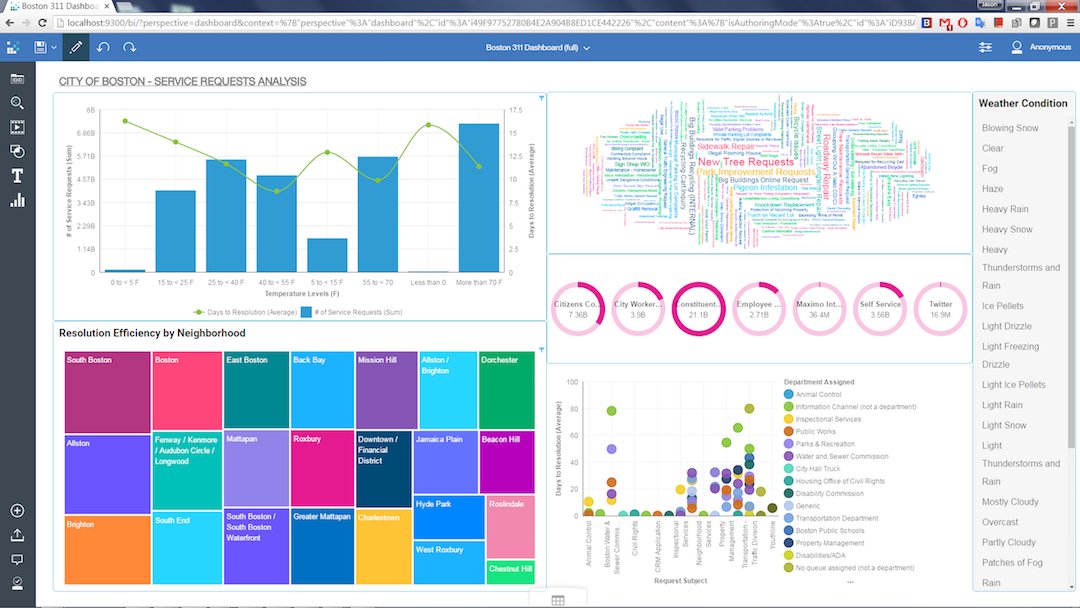
17. Chartio
Introduction
Chartio is a cloud-based BI platform that offers intuitive data exploration and visualization capabilities.
Key features
- drag-and-drop interface for easy data exploration and visualization.
- collaboration features for sharing and discussing insights within teams.
- advanced analytics capabilities, including predictive analytics and AI-powered insights.
- Embedded analytics options for integrating data and insights into existing applications.
Pricing
Chartio offers customized pricing based on individual business requirements.
Pros
- user-friendly interface and intuitive design, making it easy to navigate and use.
- There are extensive customization options for visualizations and dashboards.
- scalable architecture, accommodating growing data needs.
Cons
- There is limited support for non-SQL data sources.
- a steep learning curve for users new to data analysis and visualization.
Get a free quote
Chart your path to success with Chartio. Explore pricing options and unlock the potential of your data!
Learn more about Chartio
Image Gallery
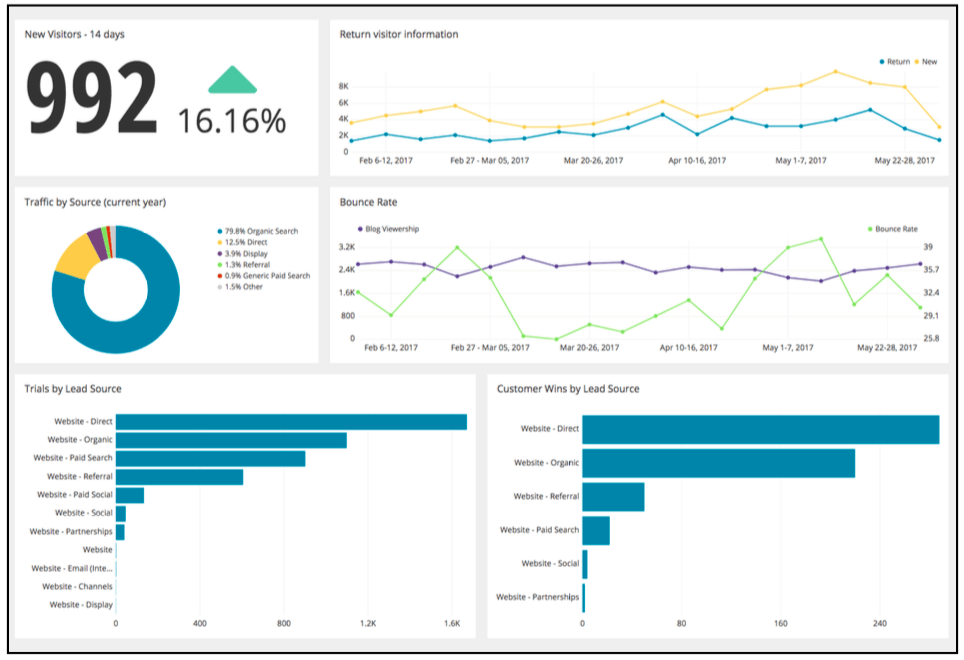
18. TIBCO Spotfire
Introduction
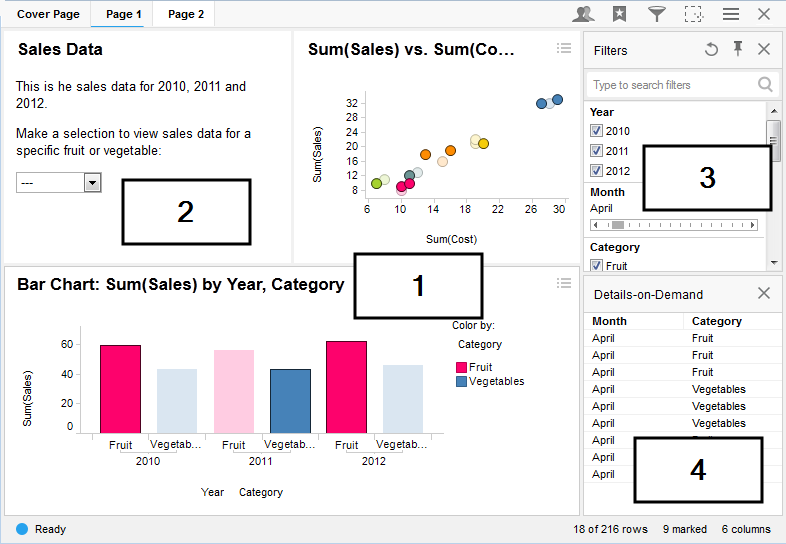
TIBCO Spotfire is a powerful analytics and data visualization tool that offers advanced insights and collaboration.
Key features
- Interactive data visualizations for easy exploration and analysis.
- collaboration features for sharing insights and collaborating within teams.
- advanced analytics capabilities, including predictive analytics and AI-powered insights.
- integration options with various data sources and applications.
Pricing
TIBCO Spotfire offers customized pricing based on individual business requirements.
Pros
- powerful analytics and reporting capabilities, suitable for complex data analysis.
- user-friendly interface and intuitive data exploration features.
- scalable architecture, accommodating growing data needs.
Cons
- a steep learning curve for users new to data analysis and visualization.
- higher pricing compared to some other BI tools on the market.
Get a free quote
Discover the future of analytics with TIBCO Spotfire. Request a quote and step into a world of insightful data!
Learn more about TIBCO Spotfire
Image Gallery
Conclusion
Choosing the right BI tools is crucial for SMBs aiming to harness the power of data-driven decision-making. The top 18 BI tools reviewed in this article offer a wide range of features and functionalities to cater to the diverse needs of data-savvy SMBs. By leveraging these tools, SMBs can improve operational efficiency, enhance customer experiences, optimize sales and marketing efforts, identify business opportunities, and track performance. It's essential for SMBs to consider factors such as scalability, affordability, user-friendliness, data integration capabilities, and analytics and visualization features when selecting the right BI tools for their business. With the right BI tools in hand, SMBs can unlock the potential of their data and make informed decisions that drive business growth and success.
Topics
Bharath Kumar
Senior Microsoft 365 Consultant • 8+ years
Bharath is a Senior Microsoft 365 Consultant specializing in enterprise productivity solutions and white-label IT services. He has successfully deployed Microsoft 365 for over 200 organizations and helps MSPs build scalable white-label partnerships.