
6 Quick and easy steps to smoothly reset your Office 365 user password
Introduction
Hi, I am Bharath from Medha Cloud. Medha Cloud encourages you to opt for Office 365 Manage Services to handle all your Office 365 needs, including password resets.
6 Easy steps to reset an Office 365 user password
- Go to the Microsoft 365 admin center.
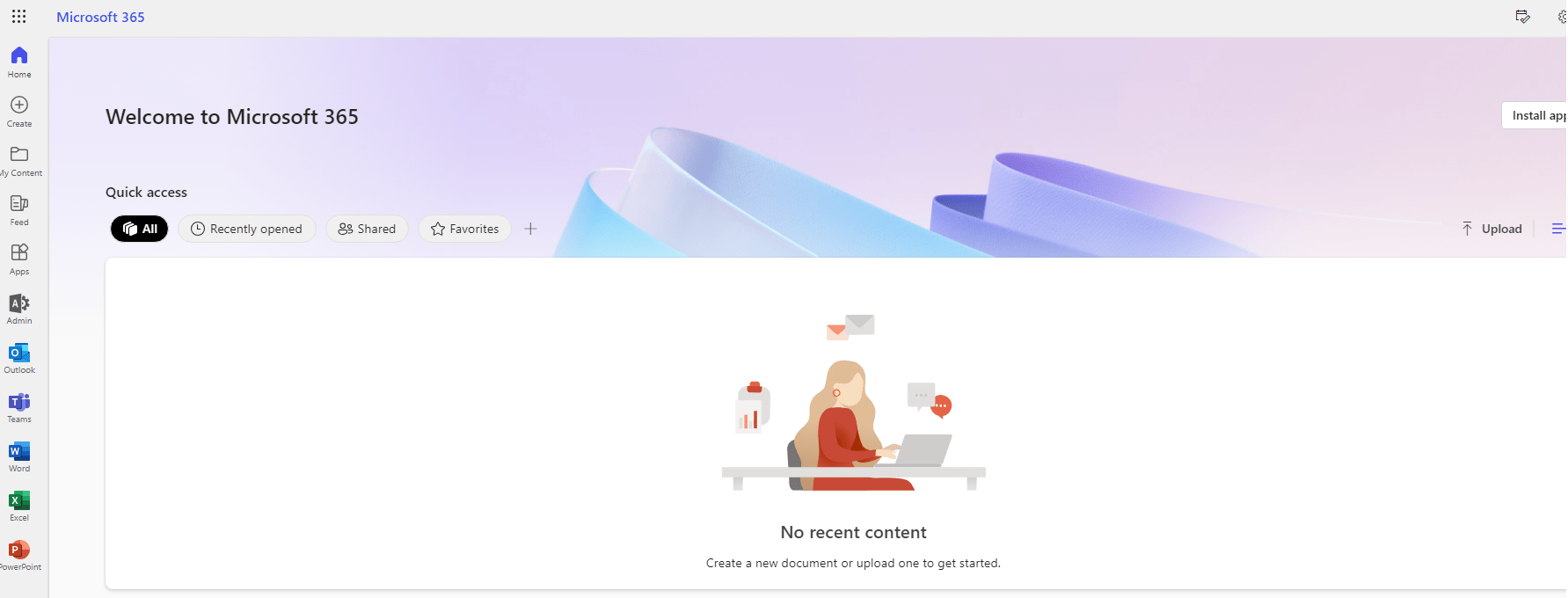
- In the left navigation pane, click Users > Active users.
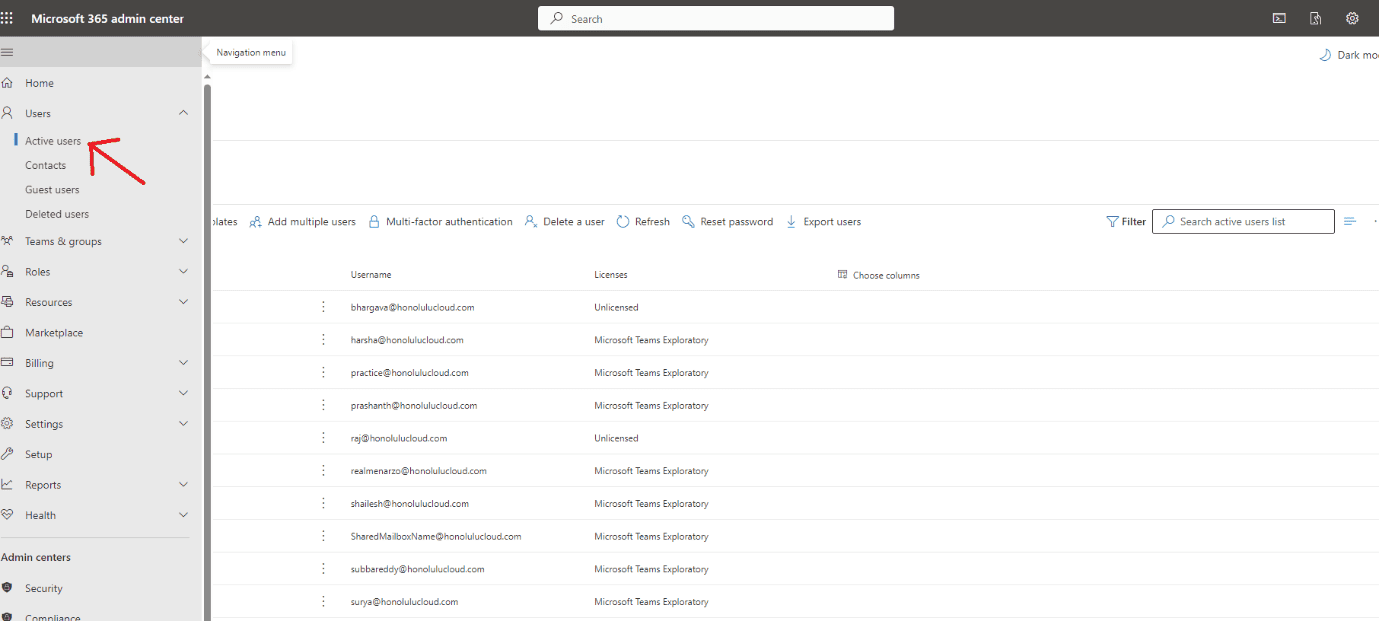
- Select the user whose password you want to reset and click Reset password.
- Choose whether to generate a new password for the user or create one yourself, make sure it's strong and secure.
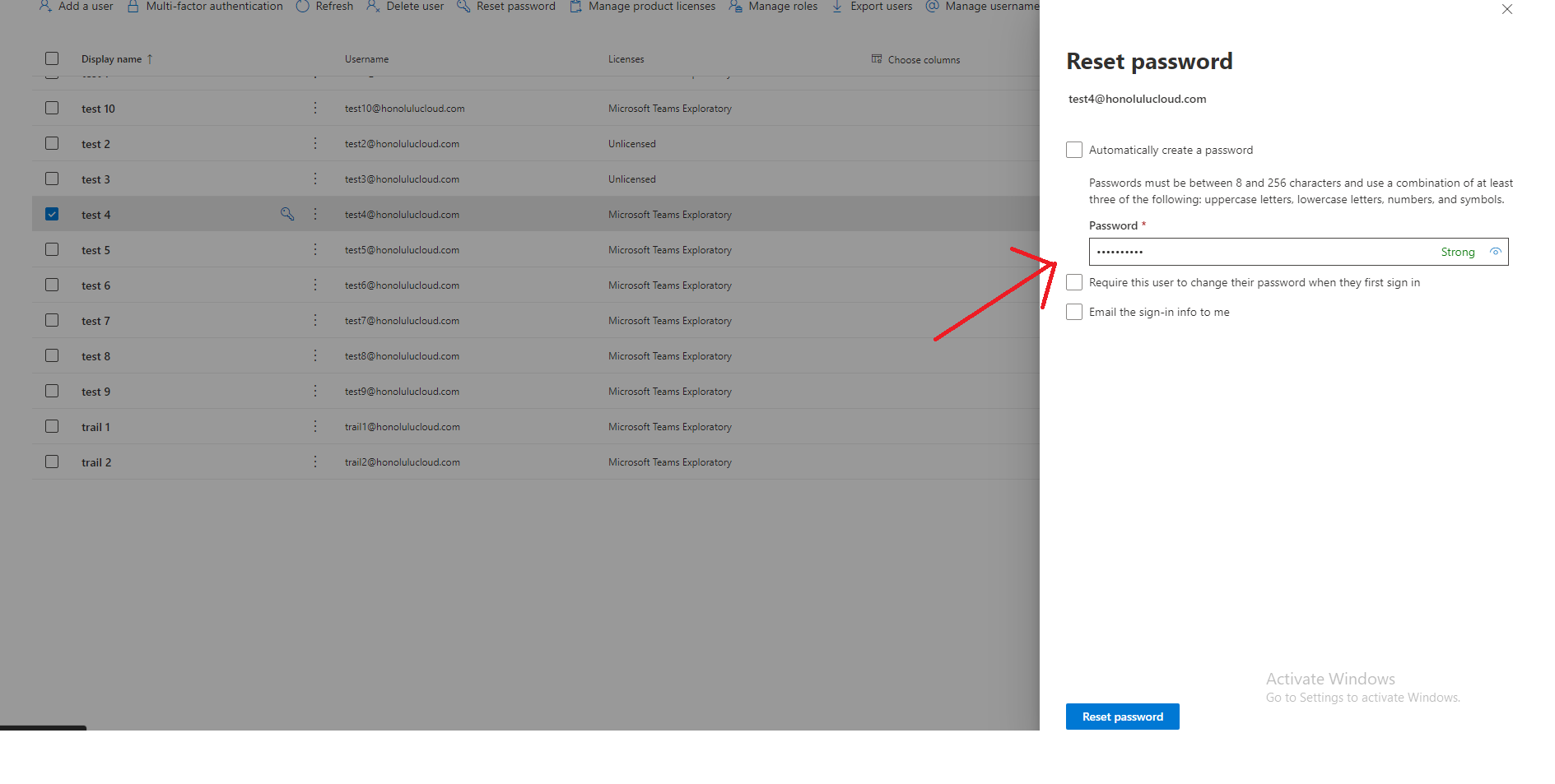
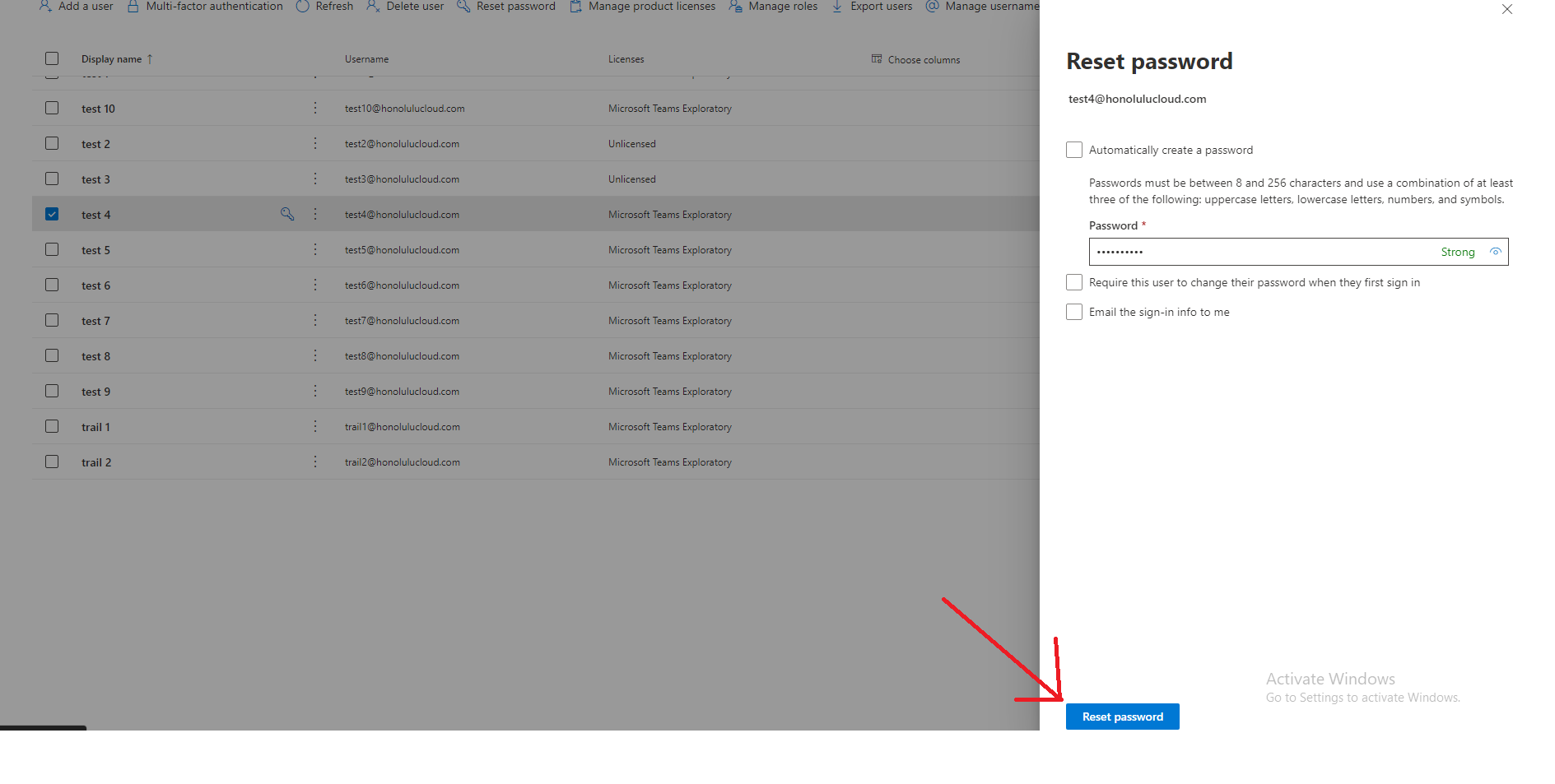
- Click Reset Password.
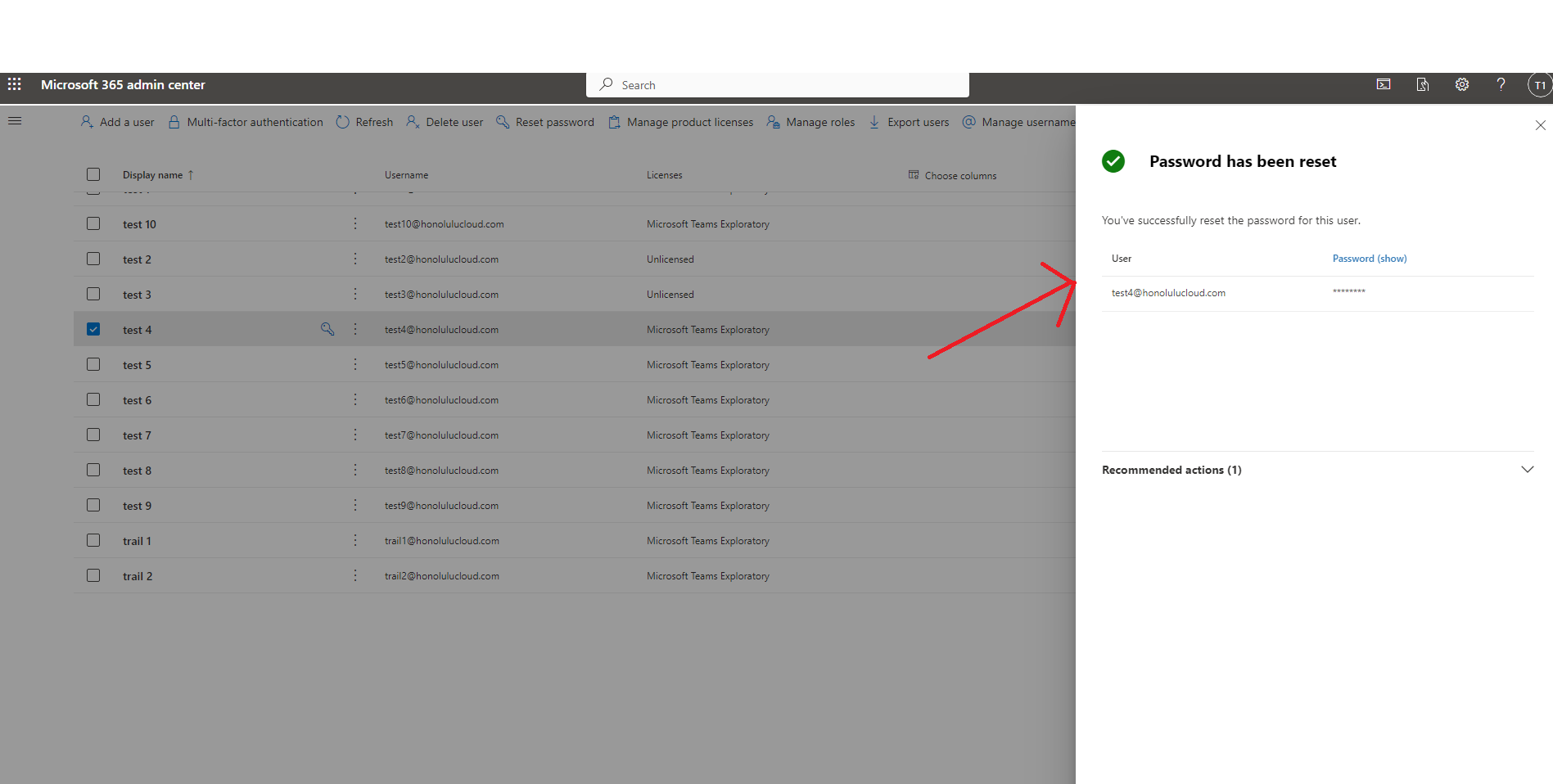
- You can now send the new password to the user or give it to them in person.
Why should you opt for Office 365 Manage services?
Office 365 Manage Services can handle all your Office 365 needs, including password resets. This can free up your time to focus on other important tasks.
Medha Cloud is a leading provider of Office 365 Manage Services. We have a team of experienced and certified engineers who can help you with all aspects of Office 365 management, including:
- Setting up and configuring Office 365
- Migrating your data to Office 365
- Managing your Office 365 users and groups
- Providing support to your users
- And more!
Conclusion
Resetting Office 365 user passwords is a straightforward process. By following the steps outlined in this blog post, you can reset your password or a user's password in your organization.
If you want a more hands-off approach, opt for Office 365 Manage Services from Medha Cloud. Our team of experienced and certified engineers can handle all your Office 365 needs, including password resets. This can free up your time to focus on other important tasks.
Our Microsoft-certified team delivers seamless migrations with zero downtime.
Seamless Cloud MigrationTopics
Bharath Kumar
Senior Microsoft 365 Consultant • 8+ years
Bharath is a Senior Microsoft 365 Consultant specializing in enterprise productivity solutions and white-label IT services. He has successfully deployed Microsoft 365 for over 200 organizations and helps MSPs build scalable white-label partnerships.
More in Microsoft 365
View all
SharePoint Support: Microsoft Options & Third Party
8 min read

SharePoint Permissions: Levels, Groups & Inheritance
9 min read

SharePoint 2016 & 2019 End of Life: Dates & Options
9 min read

SharePoint Server Subscription Edition: Licensing & Upgrade
9 min read

SharePoint Document Library: Setup, Views & Limits
9 min read

SharePoint vs OneDrive: Differences & When to Use Each
8 min read