How to add bulk of users in G Suite?


In G Suite, you can add users individually and in bulk. Larger organizations may not wait for much time to add their hundreds of users into G Suite. So, this feature is easy to onboard any number of users quickly to G Suite. Go through the tutorial and learn how to add the bulk of users in G Suite.
Required tools:
Things needed?
G Suite subscription
Steps to add bulk of users in G Suite
Step 1 : Login to the admin console
Go to Admin console and click on “users” and go to “Bulk Upload User" Shown in below images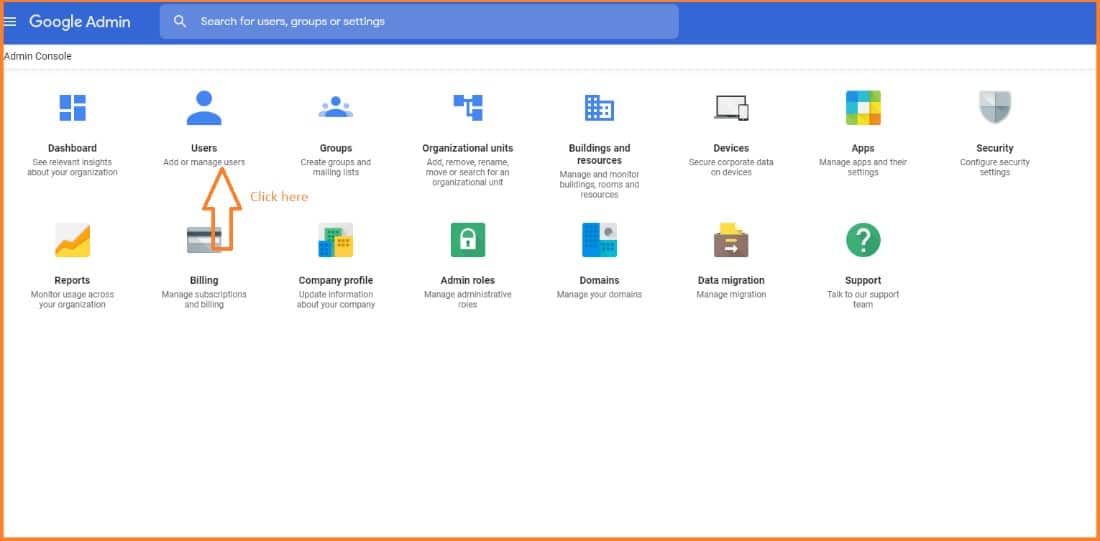
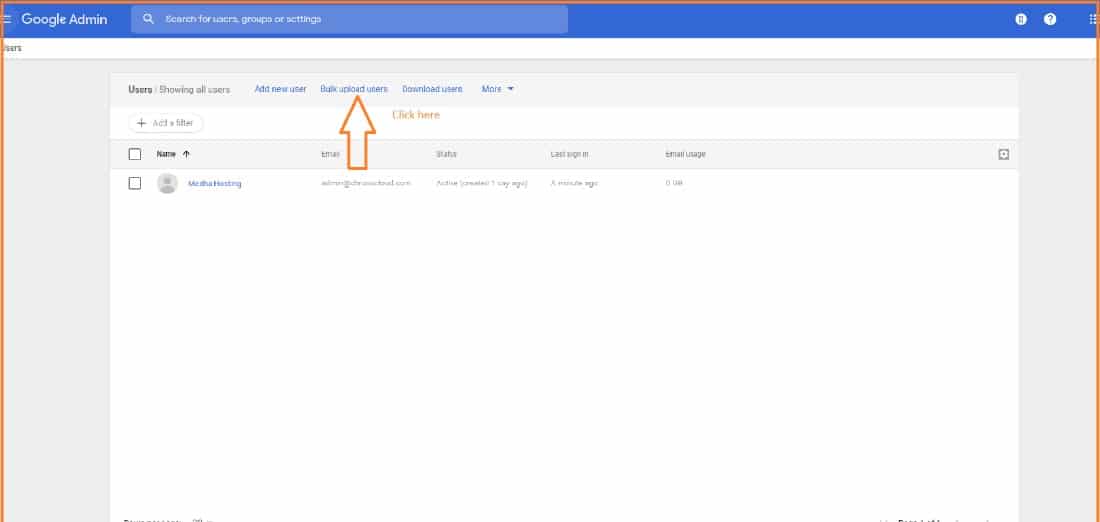
Step 2 : Upload CSV file
Click on “CSV template" and upload bulk user details on the download CSV template, as shown in the image below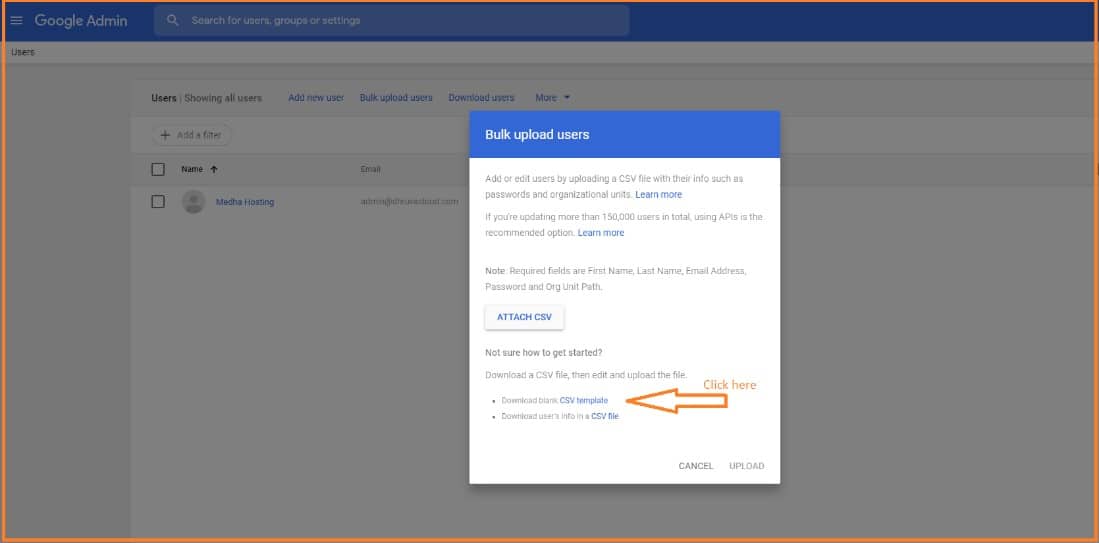
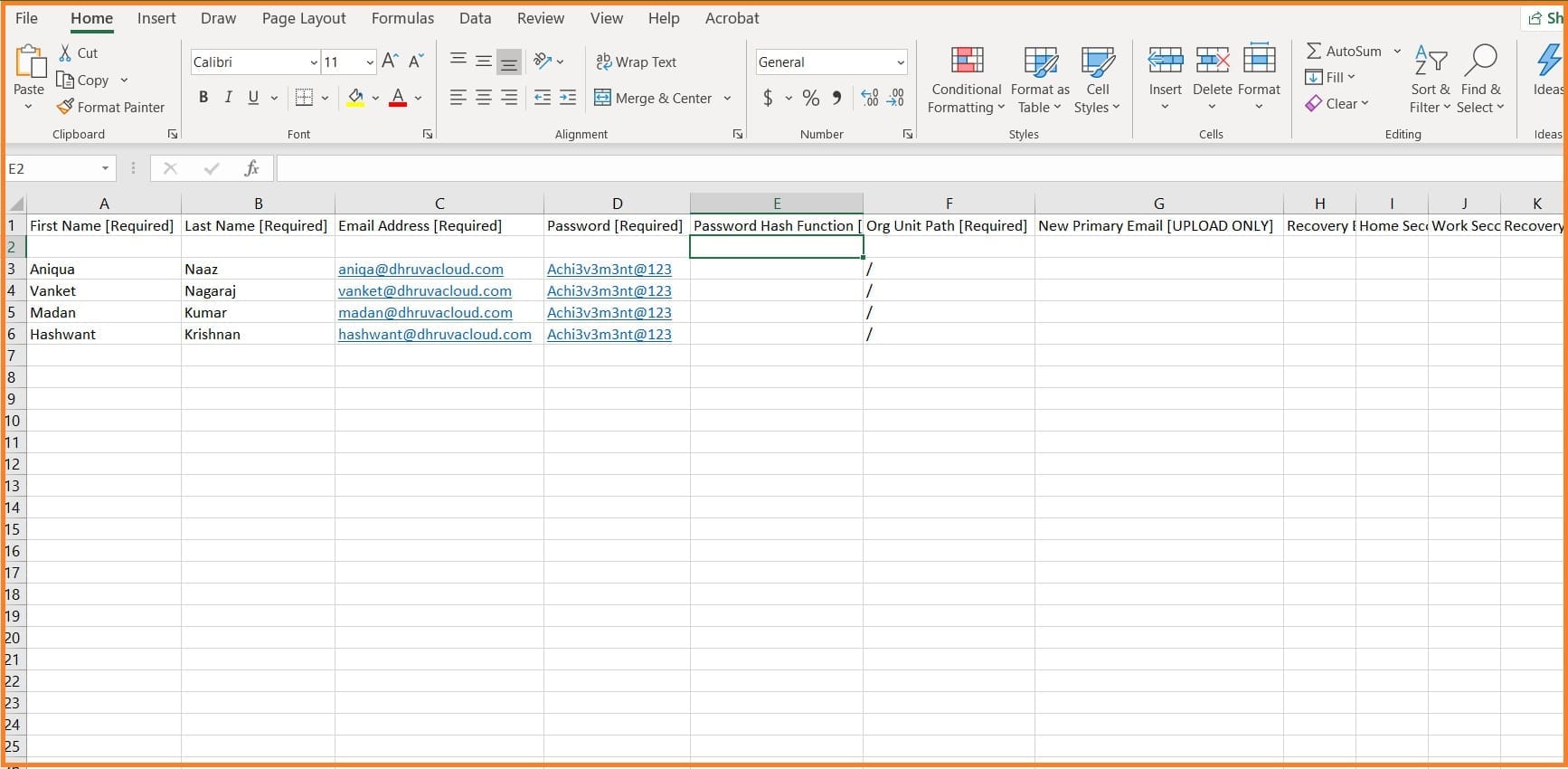
Step 4 : Attach and Upload User Details
Click on “Attach CSV” and upload, as shown in the image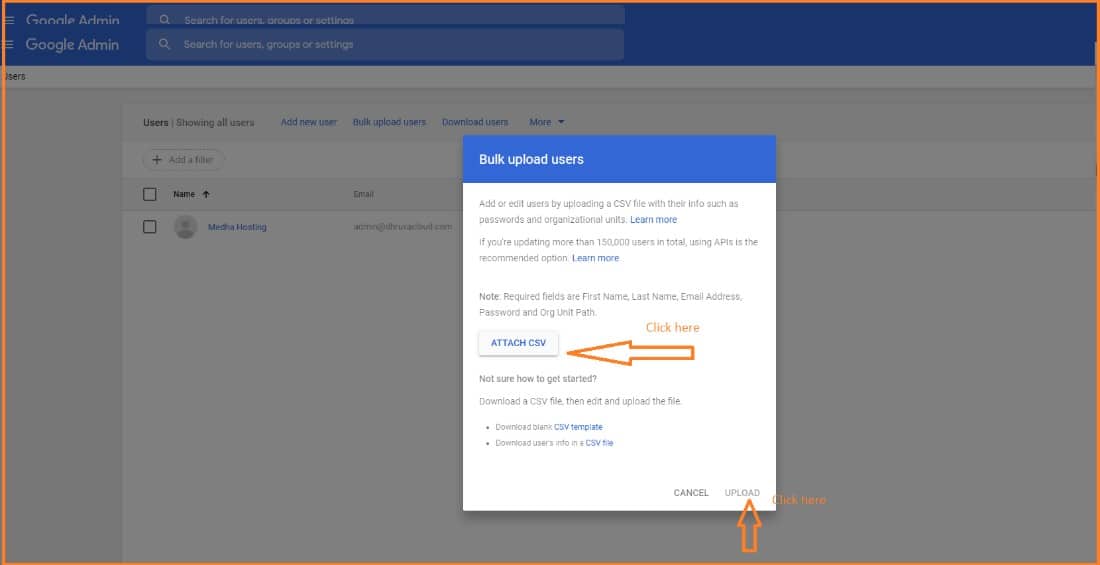
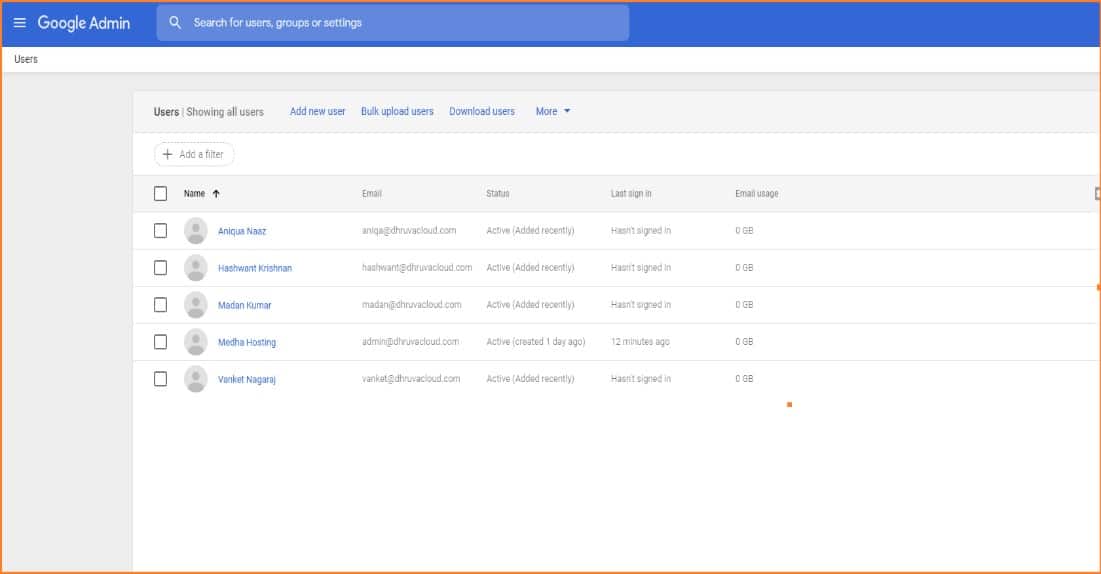
Conclusion:
Hope you understand how to add bulk of users in G Suite. Please follow these steps and you can easily add a large number of users at once.
Check out our G Suite blogs to know more about managing your G Suite account.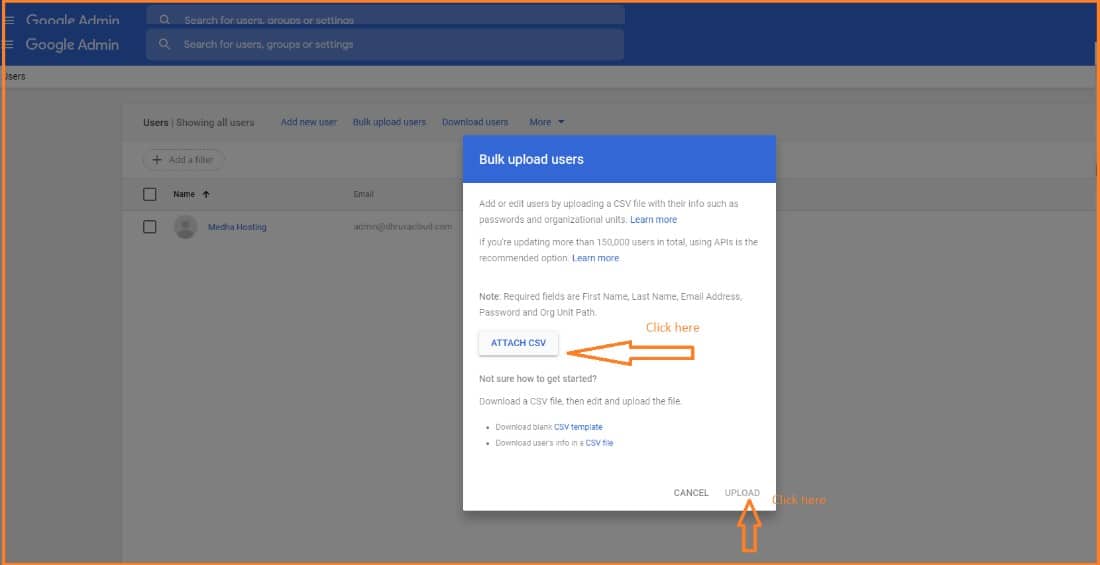
Read Here: How To Add Buildings And Resources In G Suite?
Migrate Gmail, Drive, Calendar, and Contacts to Microsoft 365 with zero data loss.
G Suite to M365 Migration ServicesTopics
Sreenivasa Reddy G
Founder & CEO • 15+ years
Sreenivasa Reddy is the Founder and CEO of Medha Cloud, recognized as "Startup of the Year 2024" by The CEO Magazine. With over 15 years of experience in cloud infrastructure and IT services, he leads the company's vision to deliver enterprise-grade cloud solutions to businesses worldwide.