
How to configure G Suite Mail Flow using SMTP Relay?


You can route outgoing email through Google with SMTP relay service. Even if your company uses non-Gmail services, SMTP relay service enables you to filter messages for spam and viruses. In this blog, you can learn how to configure G Suite mail flow using SMTP relay.
Required tools:
G suite admin access
Things needed?
G Suite subscription
Steps to configure G Suite Mail Flow using SMTP Relay
Step 1 : Go to admin console
Search SMTP, you will get couple options, go with SMTP relay services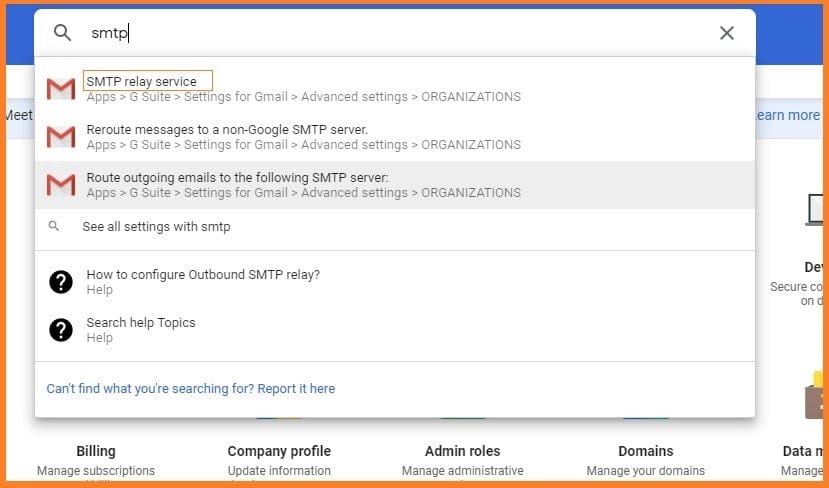
Step 2 : Configure SMPT
Scroll down and click on “configure button” of SMPT relay services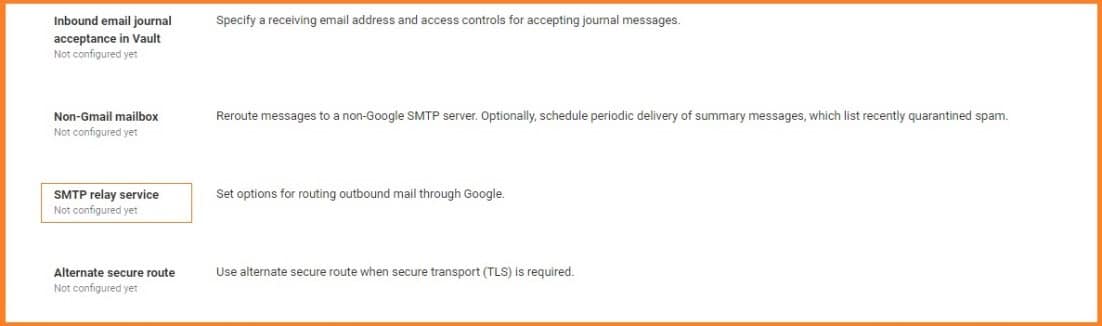
Step 3 : Add data and requirements
Fill the data as per your requirements and click on add setting and save the data.
Firstly, a sim TPL authentication so you would say printer at timing G suite or scanner timing G suite
you set up a password within put that password in, and you would also require till s encryption.
So, on the scanner, you would make sure that you set that setting.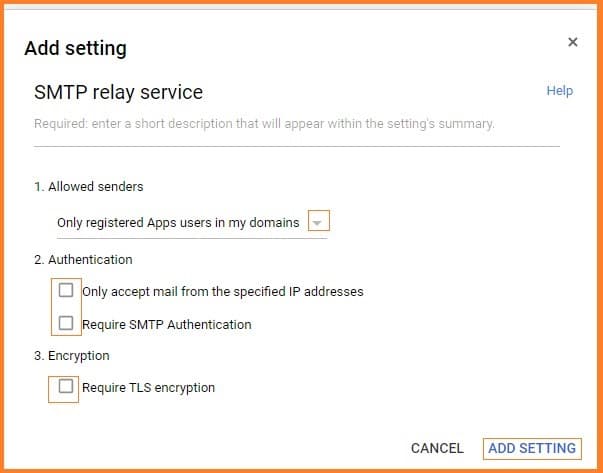
Step 4 :Get help
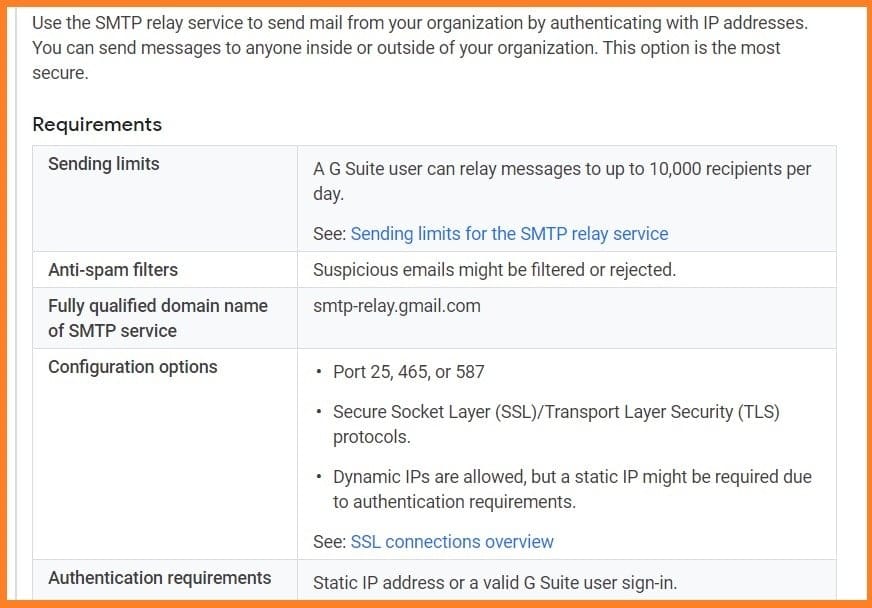
Here's the help article about SMTP relay services.
GO to G-suite SMTP relay services.
https://support.google.com/a/answer/176600?hl=en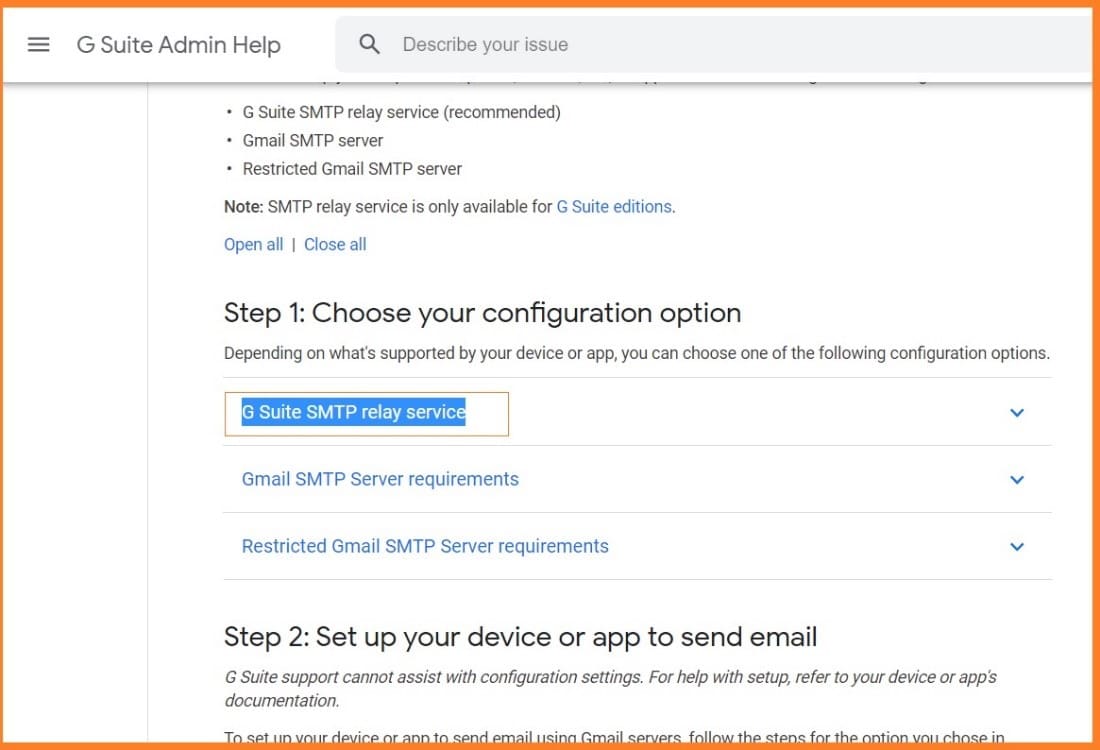
Conclusion:
Going through this guide you can understand how to configure G Suite mail flow using SMTP relay. If you got any doubts contact Medha Hosting.
Read Here: How to Secure the Calendar in Gmail?
Migrate Gmail, Drive, Calendar, and Contacts to Microsoft 365 with zero data loss.
Professional Google Workspace MigrationTopics
Sreenivasa Reddy G
Founder & CEO • 15+ years
Sreenivasa Reddy is the Founder and CEO of Medha Cloud, recognized as "Startup of the Year 2024" by The CEO Magazine. With over 15 years of experience in cloud infrastructure and IT services, he leads the company's vision to deliver enterprise-grade cloud solutions to businesses worldwide.
More in Exchange Server
View all
What Is Microsoft Exchange Server? Editions & Versions
9 min read
Exchange Server Management Tools: EMS, EAC & Options
9 min read
Exchange Hybrid: How It Works, Setup & Requirements
10 min read
Exchange Database Recovery: ESEutil & Dirty Shutdown
10 min read
Exchange DAG: Setup, Failover & Troubleshooting
9 min read
Exchange Admin Center: How to Access & Use the EAC
9 min read