
Microsoft 365 Security Checklist: 100 Settings Every IT Administrator Must Review

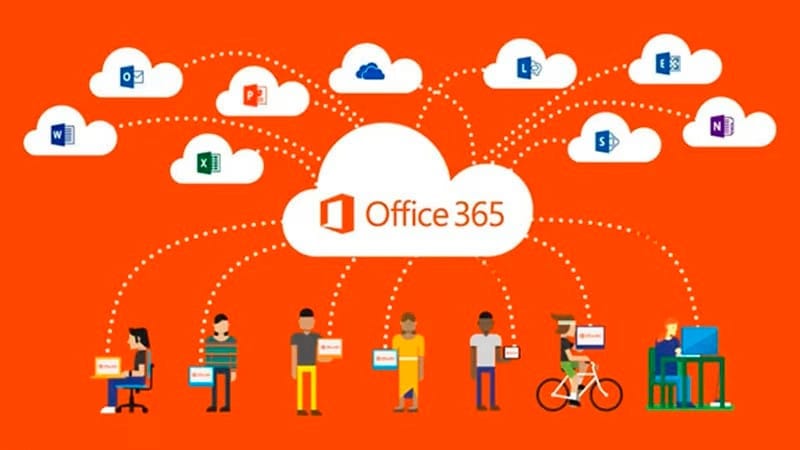
Managing a Microsoft 365 tenant means managing hundreds of security and compliance settings across Entra ID, Exchange Online, SharePoint, Teams, Defender, Purview, and Intune. Miss one critical setting and you've got an attack surface you didn't know existed. Over-configure another and you've broken a workflow that 200 employees depend on.
This checklist organizes 100 settings into 10 categories. For each setting, we include the risk level if misconfigured, the license tier required, and the admin portal where you'll find it. Use this as your annual M365 security audit template. For detailed implementation guidance on the highest-impact settings, see our M365 Security Hardening Guide with step-by-step instructions.
Category 1: Identity and Authentication (20 Settings)
| # | Setting | Risk | License |
|---|---|---|---|
| 1 | MFA enforced for all users via Conditional Access or Security Defaults | Critical | Any |
| 2 | Legacy authentication protocols blocked | Critical | Business Premium+ |
| 3 | Global Admin accounts limited to 2-4 | Critical | Any |
| 4 | Emergency (break-glass) accounts created and secured | Critical | Any |
| 5 | Admin accounts use separate credentials (not daily-use accounts) | High | Any |
| 6 | Privileged Identity Management (PIM) enabled for admin roles | High | Entra ID P2 (E5) |
| 7 | Sign-in risk policy configured (block high, require MFA for medium) | High | Entra ID P2 |
| 8 | User risk policy configured (require password change for high risk) | High | Entra ID P2 |
| 9 | Custom banned password list configured | Medium | Entra ID P1+ |
| 10 | Self-service password reset (SSPR) enabled with MFA verification | Medium | Entra ID P1+ |
| 11 | Conditional Access: require compliant device for M365 access | High | Business Premium+ |
| 12 | Conditional Access: block access from untrusted locations for admins | High | Business Premium+ |
| 13 | Named/trusted locations defined (office IPs, VPN ranges) | Medium | Business Premium+ |
| 14 | User consent to third-party apps disabled (admin approval required) | Critical | Any |
| 15 | Guest user access restricted to own profile and shared resources | Medium | Any |
| 16 | Access reviews configured (quarterly for admin roles and groups) | Medium | Entra ID P2 |
| 17 | Session lifetime policies configured (re-auth every 12-24 hours) | Medium | Business Premium+ |
| 18 | Continuous Access Evaluation (CAE) enabled | Medium | E3+ |
| 19 | PowerShell access restricted to admin accounts only | High | Business Premium+ |
| 20 | FIDO2 security keys enabled for admin accounts | Medium | Any |
Category 2: Email Security (15 Settings)
| # | Setting | Risk | License |
|---|---|---|---|
| 21 | SPF record configured correctly for all sending domains | Critical | Any |
| 22 | DKIM signing enabled for all domains | High | Any |
| 23 | DMARC policy set to p=reject (or p=quarantine minimum) | High | Any |
| 24 | Safe Links policy enabled (URL rewriting and time-of-click scanning) | High | Defender P1+ (E5) |
| 25 | Safe Attachments policy enabled (Dynamic Delivery mode) | High | Defender P1+ (E5) |
| 26 | Anti-phishing policy with impersonation protection for executives | High | Defender P2 (E5) |
| 27 | External email auto-forwarding disabled at transport level | Critical | Any |
| 28 | External sender tagging enabled ("[External]" banner on emails) | Medium | Any |
| 29 | Mailbox audit logging verified as enabled | High | Any |
| 30 | Spam filter tuned (connection filter, content filter, outbound filter) | Medium | Any |
| 31 | Common attachment types blocked (.exe, .bat, .ps1, .vbs, .js) | High | Any |
| 32 | Zero-hour auto purge (ZAP) enabled | High | Any |
| 33 | Mail flow rules audited (no unauthorized bypass rules) | High | Any |
| 34 | Automated investigation and response (AIR) enabled | Medium | Defender P2 (E5) |
| 35 | Attack simulation training configured with monthly campaigns | Medium | Defender P2 (E5) |
Category 3: Data Protection and Compliance (15 Settings)
| # | Setting | Risk | License |
|---|---|---|---|
| 36 | Unified Audit Log enabled with maximum retention | Critical | Any (E5 for 1yr) |
| 37 | DLP policies for PII (SSN, credit cards, driver's license) | High | E3+ |
| 38 | DLP policies for industry data (PHI for HIPAA, PCI for payment card) | Critical | E3+ |
| 39 | Sensitivity labels created and published (Confidential, Internal, Public) | High | E3+ |
| 40 | Auto-labeling policies for sensitive content types | Medium | E5 |
| 41 | Retention policies for email (1-7 years per compliance needs) | High | E3+ |
| 42 | Retention policies for Teams, SharePoint, OneDrive | Medium | E3+ |
| 43 | eDiscovery search permissions restricted to legal/compliance team | Medium | E3+ |
| 44 | Customer Lockbox enabled | Medium | E5 |
| 45 | Insider Risk Management policies configured | Medium | E5 Compliance |
| 46 | Communication compliance policies for regulated industries | Medium | E5 Compliance |
| 47 | Information barriers configured (if required — finance, legal) | Medium | E5 |
| 48 | Alert policies for sensitive admin actions | High | Any |
| 49 | Data classification content explorer reviewed | Medium | E5 |
| 50 | Compliance Manager assessment score reviewed and action items addressed | Medium | E3+ |
Category 4: SharePoint and OneDrive (10 Settings)
| # | Setting | Risk | License |
|---|---|---|---|
| 51 | External sharing restricted to "New and existing guests" (not "Anyone") | Critical | Any |
| 52 | Guest sharing links expire after 30 days maximum | High | Any |
| 53 | OneDrive sync restricted to managed devices only | High | Any |
| 54 | SharePoint site creation restricted to admins | Medium | Any |
| 55 | File type restrictions (block .exe, .ps1, .bat uploads) | Medium | Any |
| 56 | Versioning enabled on all document libraries (30+ versions) | Medium | Any |
| 57 | IRM (Information Rights Management) enabled for sensitive libraries | Medium | E3+ |
| 58 | SharePoint access restricted from unmanaged devices (app enforced restrictions) | High | Business Premium+ |
| 59 | Site permissions audited — no orphaned access | Medium | Any |
| 60 | Idle session sign-out configured | Medium | Any |
Category 5: Teams (10 Settings)
| # | Setting | Risk | License |
|---|---|---|---|
| 61 | External access restricted to specific allowed domains (not "open") | High | Any |
| 62 | Guest access in Teams limited (disable screen sharing, whiteboard for guests) | Medium | Any |
| 63 | Anonymous meeting join disabled or lobby-required | High | Any |
| 64 | Meeting recording auto-expiration set (120 days default) | Medium | Any |
| 65 | Third-party app installation restricted (admin-approved apps only) | High | Any |
| 66 | Teams creation restricted to specific security group | Medium | Any |
| 67 | Channel moderation policies for compliance-sensitive channels | Medium | Any |
| 68 | Meeting chat retention aligned with email retention policy | Medium | E3+ |
| 69 | Live captions and transcription policies reviewed for compliance | Low | Any |
| 70 | Copilot governance configured (if deployed) | High | Copilot license |
Category 6: Device Management — Intune (10 Settings)
| # | Setting | Risk | License |
|---|---|---|---|
| 71 | Device compliance policies enforce BitLocker encryption | Critical | Business Premium+ |
| 72 | Device compliance requires firewall enabled and AV current | High | Business Premium+ |
| 73 | Device compliance requires minimum OS version | High | Business Premium+ |
| 74 | App protection policies for iOS/Android (prevent copy to personal apps) | High | Business Premium+ |
| 75 | Windows Autopatch or Windows Update for Business configured | High | Business Premium+ |
| 76 | Local admin account management (LAPS or admin account disabled) | High | Business Premium+ |
| 77 | Application control policy (block unauthorized software installs) | Medium | Business Premium+ |
| 78 | Remote wipe capability configured for all managed devices | Medium | Business Premium+ |
| 79 | Defender for Endpoint onboarded to all Windows endpoints | High | Business Premium / E5 |
| 80 | Non-compliant devices blocked from M365 access (Conditional Access + compliance) | High | Business Premium+ |
Category 7: Cloud Security — Defender for Cloud Apps (5 Settings)
| # | Setting | Risk | License |
|---|---|---|---|
| 81 | Cloud App Discovery enabled (shadow IT detection) | High | E5 / MCAS add-on |
| 82 | Anomaly detection policies configured (impossible travel, mass download) | High | E5 |
| 83 | App connectors configured for key SaaS (Salesforce, Dropbox, etc.) | Medium | E5 |
| 84 | Session controls for BYOD users (prevent download on unmanaged devices) | High | E5 |
| 85 | OAuth app governance: unsanctioned apps blocked | High | E5 |
Category 8: Azure and Hybrid Identity (5 Settings)
| # | Setting | Risk | License |
|---|---|---|---|
| 86 | Azure AD Connect health monitoring enabled (hybrid environments) | High | Entra ID P1+ |
| 87 | Password hash sync enabled (even with federation, as backup) | High | Any |
| 88 | Defender for Identity installed on domain controllers | High | E5 |
| 89 | Cross-tenant access settings configured for partner organizations | Medium | Any |
| 90 | Defender for Cloud enabled for Azure subscriptions | High | Azure subscription |
Category 9: Monitoring and Alerting (5 Settings)
| # | Setting | Risk | License |
|---|---|---|---|
| 91 | Alert for new Global Admin role assignment | Critical | Any |
| 92 | Alert for Conditional Access policy modification/deletion | Critical | Any |
| 93 | Alert for mail flow rule creation/modification | High | Any |
| 94 | Alert for OAuth app consent grant | High | Any |
| 95 | Microsoft Secure Score reviewed monthly (target: 80%+) | High | Any |
Category 10: Backup and Recovery (5 Settings)
| # | Setting | Risk | License |
|---|---|---|---|
| 96 | Third-party M365 backup solution deployed (Veeam, Druva, Spanning) | Critical | Third-party |
| 97 | Backup covers Exchange, SharePoint, OneDrive, and Teams | Critical | Third-party |
| 98 | Backup restore tested within last 90 days | Critical | Third-party |
| 99 | Deleted user retention period understood (30 days in Entra ID) | Medium | Any |
| 100 | Recovery procedures documented for tenant-level compromise scenario | High | Any |
Summary: Risk Distribution
| Risk Level | Settings Count | Priority |
|---|---|---|
| Critical | 15 | Implement within 48 hours — these are active attack vectors |
| High | 42 | Implement within 30 days — significant risk reduction |
| Medium | 42 | Implement within 90 days — defense in depth |
| Low | 1 | Implement when convenient — minimal risk |
How to Use This Checklist
Annual audit: Run through all 100 settings once per year. Export your Microsoft Secure Score, compare to this list, and document gaps. Assign remediation owners and deadlines.
New tenant setup: Use the Critical and High settings as your deployment baseline. No M365 tenant should go into production without the 15 Critical settings implemented.
Compliance preparation: Use this checklist when preparing for cyber insurance applications, SOC 2 audits, HIPAA assessments, or other compliance reviews. Each setting maps to common compliance framework controls.
MSP client onboarding: MSPs and white-label providers should use this checklist during client onboarding to baseline the tenant's security posture and identify remediation work.
For step-by-step implementation guidance on the top 50 settings, see our M365 Security Hardening Guide. If you need hands-on help with your M365 security configuration, our managed IT team provides tenant security audits and hardening services for organizations of all sizes.
Advanced security and device management for businesses that need more than the basics.
Get M365 Business PremiumTopics
Sreenivasa Reddy G
Founder & CEO • 15+ years
Sreenivasa Reddy is the Founder and CEO of Medha Cloud, recognized as "Startup of the Year 2024" by The CEO Magazine. With over 15 years of experience in cloud infrastructure and IT services, he leads the company's vision to deliver enterprise-grade cloud solutions to businesses worldwide.
More in Microsoft 365
View all
SharePoint Support: Microsoft Options & Third Party
8 min read

SharePoint Permissions: Levels, Groups & Inheritance
9 min read

SharePoint 2016 & 2019 End of Life: Dates & Options
9 min read

SharePoint Server Subscription Edition: Licensing & Upgrade
9 min read

SharePoint Document Library: Setup, Views & Limits
9 min read

SharePoint vs OneDrive: Differences & When to Use Each
8 min read