
Step-by-step guide to restoring deleted user accounts in Office 365
Accidentally deleted a user account in Office 365? Don’t worry, Office 365 allows administrators to restore deleted user accounts within 30 days. This guide will show you how to recover a deleted user account, ensuring no important data or access is lost.
Step 1: Log in to Office 365 with Admin privileges
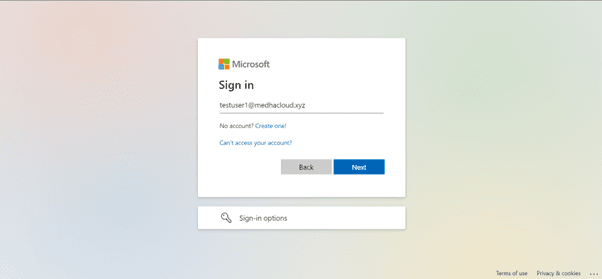
As always, start by logging into office.com using an admin account. Only users with administrative privileges can restore deleted accounts.
Step 2: Open the Admin panel
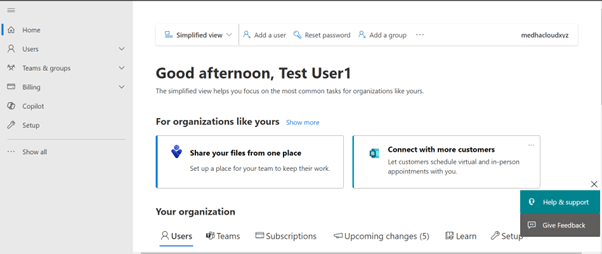
Once logged in, go to the Admin app from the Office 365 app launcher (the grid icon in the upper left corner). This will bring you to the Office 365 Admin Center, where you can manage users, including restoring deleted ones.
Step 3: Navigate to users > Deleted users
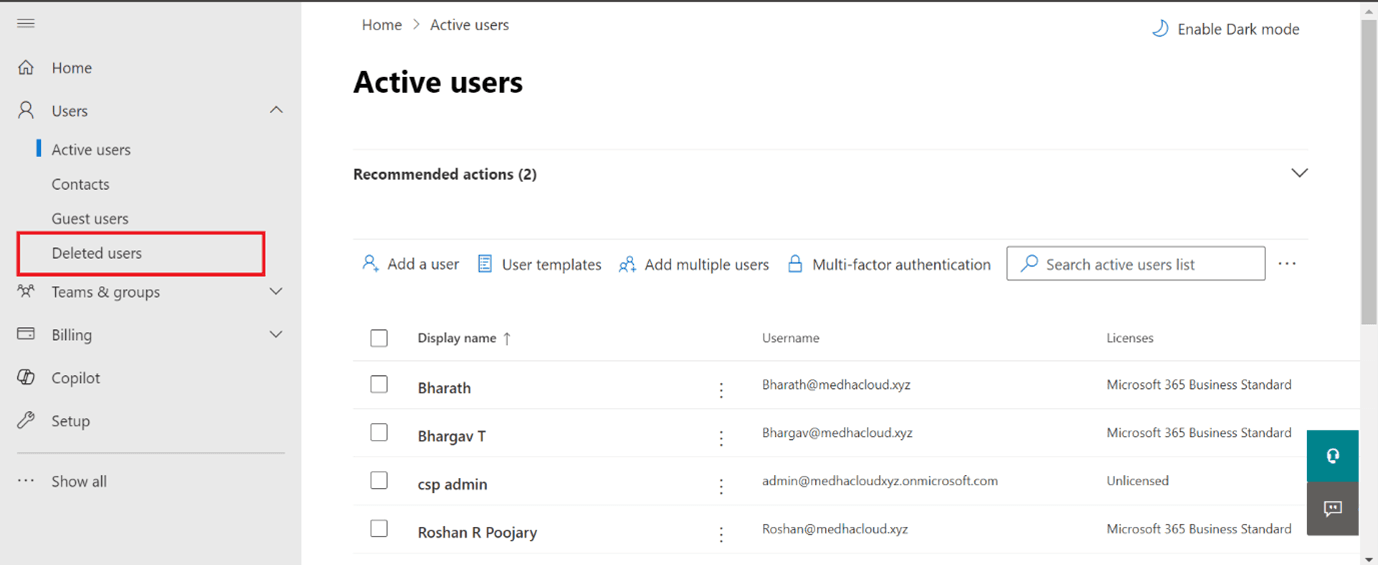
In the Admin Center, select Users from the left-hand navigation pane and then click on Deleted Users. This will display a list of all users that have been deleted within the last 30 days.
Step 4: Select the user to restore
From the list of deleted users, select the name of the user whose account you want to restore. This will open the user’s account details.
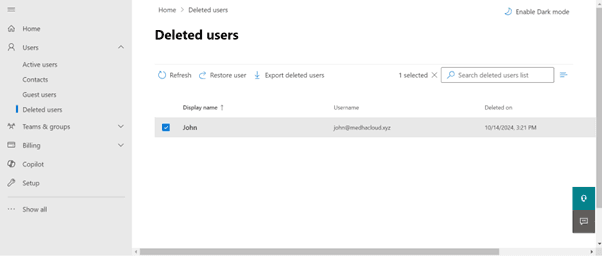
Step 5: Click on restore user
Once the user’s details are open, you will see an option to Restore user. Click on this to begin the restoration process.
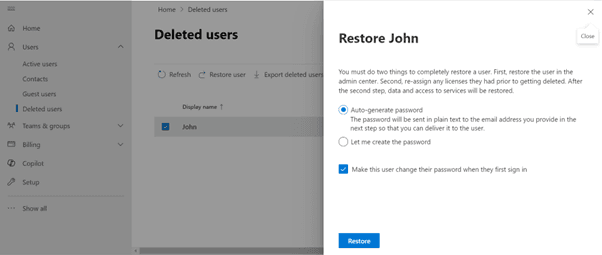
Step 6: Assign licenses (optional)
During the restoration process, you may be prompted to assign a license to the restored user. If the user had a license previously, you can reassign it now to ensure they have access to the necessary Office 365 services.
Step 7: Save and complete the restoration
After assigning a license (if required), click Save to complete the restoration process. The user account will be restored, and the user will regain access to their data and services.
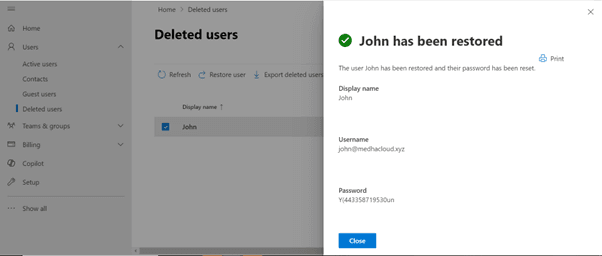
Step 8: Verify the restoration
To confirm the account has been successfully restored, go back to the Active users section and check for the restored user. Their account should now be listed with all the associated services reactivated.
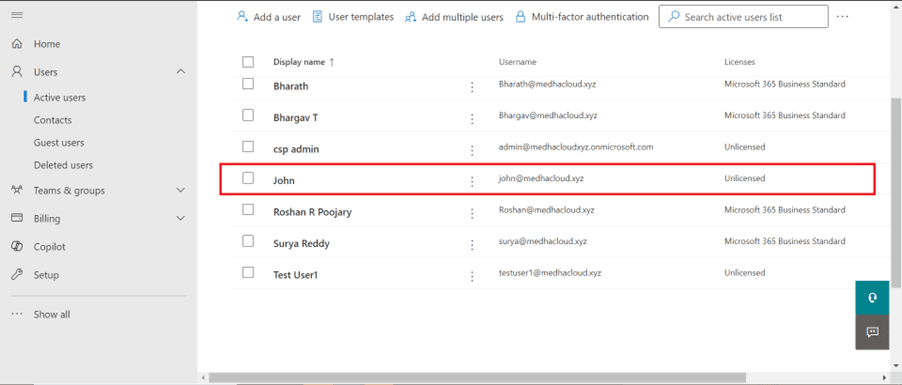
By following these steps, you can easily restore a deleted user account in Office 365 and prevent any data loss or disruption in access.
For more assistance with restoring user accounts or other Office 365 management needs, contact Medha Cloud today. Our team is here to help you securely manage your Office 365 environment.
Compare Microsoft 365 plans and find the right license for your organization.
Get Microsoft 365 for Your BusinessTopics
Bharath Kumar
Senior Microsoft 365 Consultant • 8+ years
Bharath is a Senior Microsoft 365 Consultant specializing in enterprise productivity solutions and white-label IT services. He has successfully deployed Microsoft 365 for over 200 organizations and helps MSPs build scalable white-label partnerships.
More in Microsoft 365
View all
SharePoint Support: Microsoft Options & Third Party
8 min read

SharePoint Permissions: Levels, Groups & Inheritance
9 min read

SharePoint 2016 & 2019 End of Life: Dates & Options
9 min read

SharePoint Server Subscription Edition: Licensing & Upgrade
9 min read

SharePoint Document Library: Setup, Views & Limits
9 min read

SharePoint vs OneDrive: Differences & When to Use Each
8 min read