
How to Set up Secure Transport TLS and MTA-STS in Gmail?

G Suite offers TSL (Transport Layer Security) as a default security protocol in Gmail. It encrypts email messages and protects privacy. In this blog, you will learn how to set up Secure Transport TLS and MTA-STS in Gmail.
Required tools:
Things needed?
G Suite subscription
Steps to set up Secure Transport TLS and MTA-STS in Gmail
Step 1 : Log in to Admin Console
Login with admin console search SMPT in the search box and click on “Route outgoing emails to the following SMTP server”.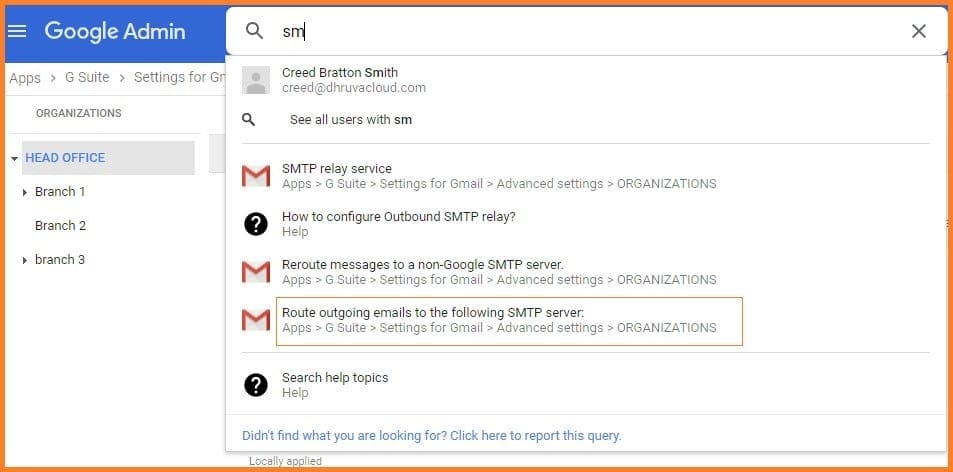
Step 2 : Configure TSL
Scroll down to Secure transport (TLS) compliance and hover on it and to see the configure option and click on it.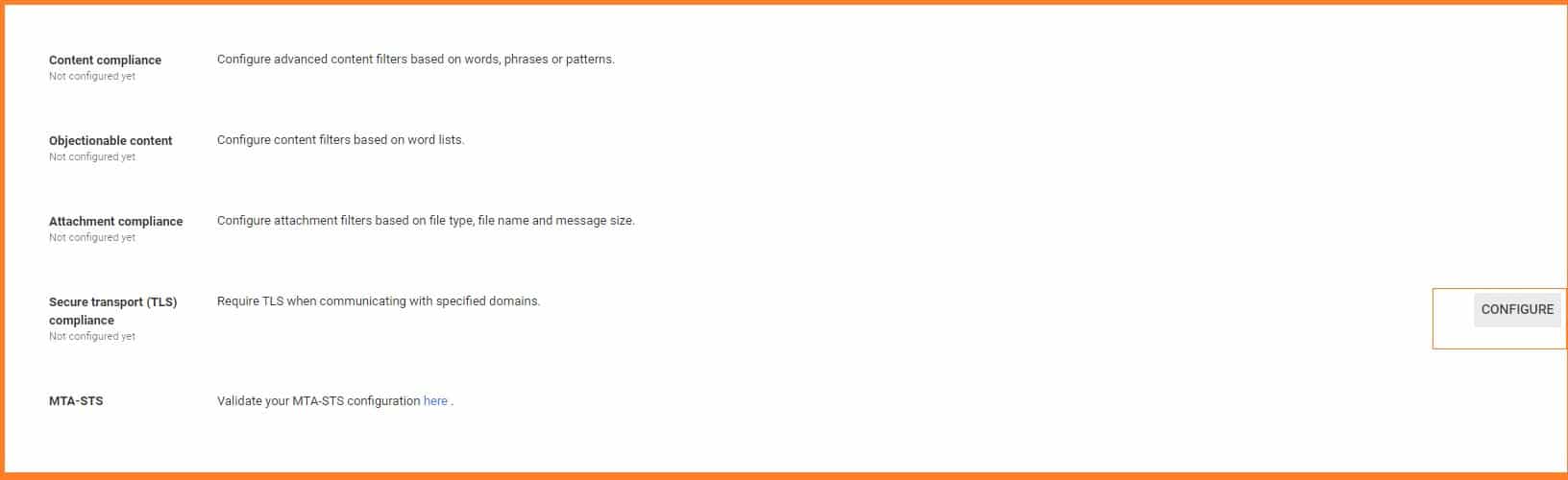
Step 3 : Set up TSL Compliance
Write the Secure transport (TLS) compliance and select the options as per requirements.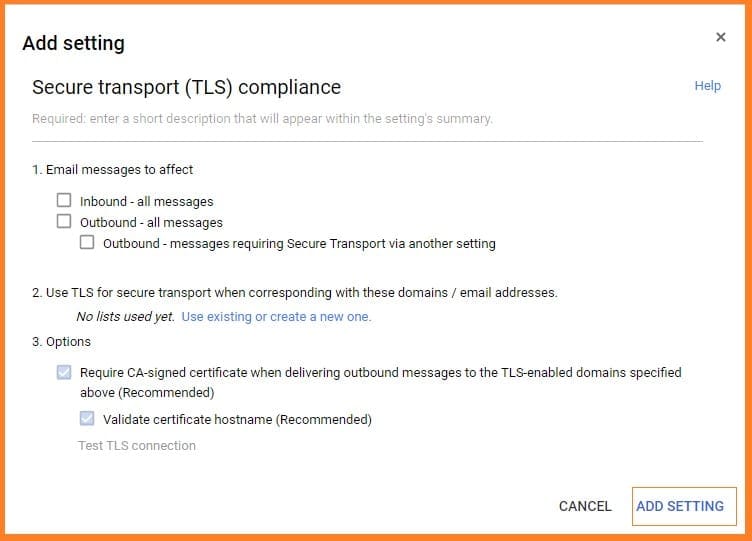
Step 4 :Validate MAT_STS
Validate your MAT-STS while clicking “here”
For learning more about MTA-STS configuration click on “LEARN MORE”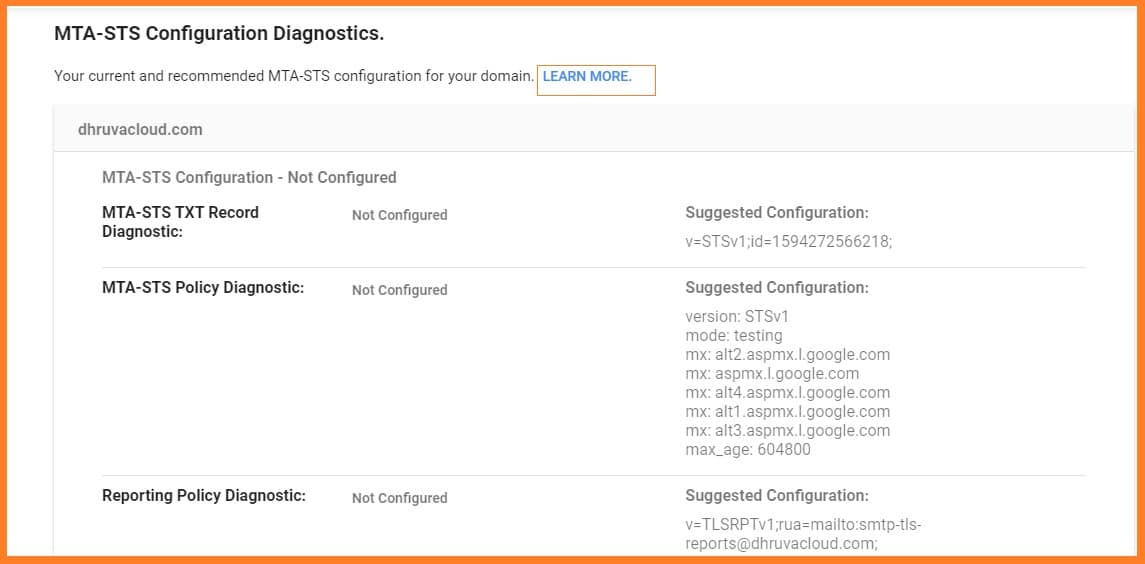
Conclusion
Configuring TSL certificate to your Gmail is important. Follow these steps and you can simply set up Secure Transport TLS and MTA-STS in Gmail.
If you come across with any doubt, please reach Medha Hosting.
Read Here: How To Set Up Email Quarantine In Gmail For G Suite Subscribers?
Migrate Gmail, Drive, Calendar, and Contacts to Microsoft 365 with zero data loss.
Professional Google Workspace MigrationTopics
Sreenivasa Reddy G
Founder & CEO • 15+ years
Sreenivasa Reddy is the Founder and CEO of Medha Cloud, recognized as "Startup of the Year 2024" by The CEO Magazine. With over 15 years of experience in cloud infrastructure and IT services, he leads the company's vision to deliver enterprise-grade cloud solutions to businesses worldwide.
More in Google Cloud & Workspace
View all
Google Layoffs 2026: Numbers, Timeline & What Is Known
8 min read
Gmail to Office 365 Migration — Step by Step (Business & Personal, 2026)
10 min read
Leaked Business Data Fuels a New Wave of Phishing Against Google Workspace Users
2 min read
Researchers Warn of “Promptware” Attacks That Could Manipulate Google Workspace AI
2 min read
Google Rolls Out Device-Bound Tokens as Session Theft Escalates Across Workspace
2 min read
How to Get Google to Display Images for Phishing Campaigns: A 10-Step Comprehensive Guide
4 min read