
Microsoft 365 License Comparison — All Plans, Pricing & Features (2026)

Choosing the right Microsoft 365 license is the single highest-impact decision you will make before rolling out productivity tools to your organization. Pick a plan that is too small and your team hits walls — no desktop Office apps, no advanced security, no compliance tools. Pick a plan that is too large and you bleed budget on features nobody uses.
This guide compares every Microsoft 365 plan available in 2026 — Business, Enterprise, Frontline, and Standalone — with pricing, feature tables, and a decision tree so you can buy with confidence.
Need expert help choosing the right Microsoft 365 plan?
Medha Cloud is a Microsoft Solutions Partner. We help organizations worldwide select, license, and deploy M365 — saving 15-30% on annual licensing costs through CSP volume pricing.
Quick-Reference Pricing Table — All Plans at a Glance
Before we dive into features, here is a high-level pricing snapshot of every Microsoft 365 plan in 2026. All prices are per user, per month (annual commitment).
| Plan | Category | Price | Max Users |
|---|---|---|---|
| Business Basic | Business | $6.00 | 300 |
| Apps for Business | Business | $8.25 | 300 |
| Business Standard | Business | $12.50 | 300 |
| Business Premium | Business | $22.00 | 300 |
| Microsoft 365 E3 | Enterprise | $36.00 | Unlimited |
| Microsoft 365 E5 | Enterprise | $57.00 | Unlimited |
| Microsoft 365 F1 | Frontline | $2.25 | Unlimited |
| Microsoft 365 F3 | Frontline | $8.00 | Unlimited |
| Exchange Online Plan 1 | Standalone | $4.00 | Unlimited |
| Exchange Online Plan 2 | Standalone | $8.00 | Unlimited |
| SharePoint Online Plan 1 | Standalone | $5.00 | Unlimited |
| OneDrive for Business Plan 1 | Standalone | $5.00 | Unlimited |
Microsoft 365 Business Plans — Detailed Feature Comparison
Business plans are designed for small and mid-size organizations with up to 300 users. If your company has more than 300 employees, you must use Enterprise plans.
Microsoft 365 Business Basic — $6/user/month
Business Basic is the entry-level plan. It gives your team web and mobile versions of Word, Excel, PowerPoint, and Outlook — but no desktop apps. You also get Exchange email with a 50 GB mailbox, 1 TB OneDrive storage, Microsoft Teams, and SharePoint.
Best for: Organizations that work primarily in a browser or on mobile devices and do not need installable desktop apps. Common among companies already using Chromebooks or thin clients.
Microsoft 365 Apps for Business — $8.25/user/month
Apps for Business flips the equation: you get full desktop Office apps (Word, Excel, PowerPoint, Outlook, Access, Publisher) plus 1 TB OneDrive. However, this plan does not include Exchange email, Teams, or SharePoint.
Best for: Companies that already have email hosted elsewhere (e.g., Google Workspace, on-premises Exchange) and only need installable Office applications.
Microsoft 365 Business Standard — $12.50/user/month
Business Standard is the most popular plan for SMBs. It combines everything in Business Basic and Apps for Business into a single license — desktop apps, web apps, Exchange email, Teams, SharePoint, OneDrive, and business-class webinar hosting through Teams.
Best for: The majority of small and mid-size businesses that need full Office desktop apps plus cloud email, collaboration, and file storage.
Microsoft 365 Business Premium — $22/user/month
Business Premium includes everything in Business Standard plus advanced security and device management: Intune (mobile device management), Azure AD Premium P1, Microsoft Defender for Business, Azure Information Protection, and Conditional Access policies.
Best for: Security-conscious SMBs, regulated industries (healthcare, finance, legal), and organizations that need endpoint management without buying separate security tools.
| Feature | Business Basic $6 |
Apps for Business $8.25 |
Business Standard $12.50 |
Business Premium $22 |
|---|---|---|---|---|
| Desktop Office Apps | ✗ | ✓ | ✓ | ✓ |
| Web & Mobile Apps | ✓ | ✓ | ✓ | ✓ |
| Exchange Email (50 GB) | ✓ | ✗ | ✓ | ✓ |
| OneDrive (1 TB) | ✓ | ✓ | ✓ | ✓ |
| Microsoft Teams | ✓ | ✗ | ✓ | ✓ |
| SharePoint | ✓ | ✗ | ✓ | ✓ |
| Intune / MDM | ✗ | ✗ | ✗ | ✓ |
| Azure AD Premium P1 | ✗ | ✗ | ✗ | ✓ |
| Microsoft Defender for Business | ✗ | ✗ | ✗ | ✓ |
| Copilot Availability | Add-on | Add-on | Add-on | Add-on |
| Max Users | 300 | 300 | 300 | 300 |
| Price (user/month) | $6.00 | $8.25 | $12.50 | $22.00 |
Microsoft 365 Enterprise Plans — E3 vs E5
Enterprise plans remove the 300-user cap and add compliance, security, and analytics features that large organizations require. They also include Windows Enterprise licenses, which Business plans do not.
Microsoft 365 E3 — $36/user/month
E3 is the enterprise workhorse. You get everything in Business Premium plus unlimited users, 100 GB Exchange mailboxes, 5 TB OneDrive base storage (with auto-expansion), Windows 11 Enterprise E3, Microsoft Purview Information Protection, Data Loss Prevention (DLP), eDiscovery (Standard), and Azure AD Premium P1.
Best for: Mid-to-large enterprises (300+ users) that need robust compliance and device management but do not require the advanced analytics and security in E5.
Microsoft 365 E5 — $57/user/month
E5 is the most comprehensive Microsoft 365 plan. On top of everything in E3, you get Azure AD Premium P2 (Privileged Identity Management, Identity Protection), Microsoft Defender for Endpoint P2, Microsoft Defender for Office 365 P2, Microsoft Sentinel integration, eDiscovery Premium, Advanced Compliance, Power BI Pro, and the Phone System for Teams PSTN calling.
Best for: Organizations with advanced security requirements, SOC teams, legal teams needing eDiscovery Premium, and companies that want to consolidate SIEM, endpoint detection, and identity governance into a single license.
| Feature | E3 — $36 | E5 — $57 |
|---|---|---|
| Desktop Office Apps | ✓ | ✓ |
| Web & Mobile Apps | ✓ | ✓ |
| Exchange Email (100 GB) | ✓ | ✓ |
| OneDrive (5 TB+) | ✓ | ✓ |
| Microsoft Teams | ✓ | ✓ |
| SharePoint | ✓ | ✓ |
| Intune / MDM | ✓ | ✓ |
| Azure AD Premium | P1 | P1 + P2 |
| Microsoft Defender for Endpoint | P1 | P2 |
| Defender for Office 365 | P1 | P2 |
| eDiscovery | Standard | Premium |
| Data Loss Prevention | ✓ | ✓ |
| Power BI Pro | ✗ | ✓ |
| Phone System (Teams PSTN) | ✗ | ✓ |
| Windows 11 Enterprise | E3 | E5 |
| Copilot Availability | Add-on | Add-on |
| Max Users | Unlimited | Unlimited |
| Price (user/month) | $36.00 | $57.00 |
The $21/user/month gap between E3 and E5 pays for itself if you are currently spending separately on SIEM tools, advanced threat protection, or PSTN calling plans. Calculate your current spend on those standalone tools before deciding.
Microsoft 365 Frontline Plans — F1 and F3
Frontline plans are purpose-built for shift workers, retail associates, factory floor staff, and field service employees who need limited access to Microsoft 365 from shared or mobile devices.
Microsoft 365 F1 — $2.25/user/month
F1 is the lightest Microsoft 365 license. It provides web and mobile Office apps (view and basic editing), Microsoft Teams, SharePoint (read-only), and 2 GB Exchange mailbox. There are no desktop apps and no full OneDrive storage — users get 2 GB of OneDrive.
Best for: Frontline workers who need to communicate via Teams, view company documents, and receive shift schedules — but do not create heavy documents or need email as a primary tool.
Microsoft 365 F3 — $8/user/month
F3 steps up significantly: users get web and mobile Office apps with full editing, a 2 GB Exchange mailbox, 2 GB OneDrive, Teams, SharePoint, Power Apps, and Power Automate. F3 also includes Windows 11 Enterprise E3 rights for shared devices and basic Intune capabilities.
Best for: Frontline workers who need to create and edit documents, participate in Teams workflows, and use shared Windows devices managed through Intune.
| Feature | F1 — $2.25 | F3 — $8 |
|---|---|---|
| Desktop Office Apps | ✗ | ✗ |
| Web & Mobile Apps | View + Basic Edit | Full Edit |
| Exchange Email | 2 GB | 2 GB |
| OneDrive | 2 GB | 2 GB |
| Microsoft Teams | ✓ | ✓ |
| SharePoint | Read-only | ✓ |
| Intune / MDM | ✗ | ✓ |
| Windows 11 Enterprise | ✗ | E3 (shared devices) |
| Power Apps / Power Automate | ✗ | ✓ |
| Price (user/month) | $2.25 | $8.00 |
Standalone Plans — Email, Storage, and Collaboration a la Carte
Standalone plans let you buy individual Microsoft 365 services without committing to a full suite. They are useful when you only need one capability or when supplementing an existing license.
Exchange Online Plan 1 — $4/user/month
50 GB mailbox, custom domain email, shared calendars, and basic anti-malware/anti-spam. No Office apps, no Teams, no SharePoint.
Best for: Organizations that only need professional email hosting and do not need Office apps or collaboration tools.
Exchange Online Plan 2 — $8/user/month
Everything in Plan 1 plus 100 GB mailbox, unlimited archive, Data Loss Prevention (DLP), and hosted voicemail. This is the plan for compliance-heavy email requirements.
Best for: Legal firms, financial institutions, and regulated industries that need unlimited email archiving and DLP.
SharePoint Online Plan 1 — $5/user/month
1 TB of organization-wide storage plus 10 GB per user. Includes SharePoint sites, document libraries, and basic collaboration — without email, Office apps, or Teams.
Best for: Organizations that need a document management and intranet platform but already have email and Office apps covered.
OneDrive for Business Plan 1 — $5/user/month
1 TB per user of personal cloud storage with file sharing, sync, and mobile access. No email, no Office apps, no Teams.
Best for: Companies that need secure cloud file storage and syncing but do not need the full Microsoft 365 suite.
| Feature | Exchange P1 $4 |
Exchange P2 $8 |
SharePoint P1 $5 |
OneDrive P1 $5 |
|---|---|---|---|---|
| Exchange Email | 50 GB | 100 GB | ✗ | ✗ |
| Unlimited Archive | ✗ | ✓ | ✗ | ✗ |
| Data Loss Prevention | ✗ | ✓ | ✗ | ✗ |
| SharePoint Sites | ✗ | ✗ | ✓ | ✗ |
| OneDrive Storage | ✗ | ✗ | ✗ | 1 TB |
| Office Apps | ✗ | ✗ | ✗ | ✗ |
| Microsoft Teams | ✗ | ✗ | ✗ | ✗ |
| Price (user/month) | $4.00 | $8.00 | $5.00 | $5.00 |
Business Basic vs Standard vs Premium — Which One Should You Pick?
This is the most common comparison for small businesses. Here is how to decide:
Choose Business Basic ($6) if:
- Your team works entirely in a web browser or on mobile devices.
- You do not need installable Word, Excel, or PowerPoint on desktops.
- You are on a tight budget and need email + Teams + OneDrive at the lowest cost.
Choose Business Standard ($12.50) if:
- You need desktop Office apps — this is the most common requirement for most businesses.
- You want a single license that covers email, Teams, SharePoint, OneDrive, and full Office.
- You host webinars or need Teams Premium features for meetings.
Choose Business Premium ($22) if:
- You operate in a regulated industry (healthcare, legal, finance) and need compliance tools.
- You need device management (Intune) to control laptops and phones accessing company data.
- You want Microsoft Defender for Business endpoint protection without buying a separate product.
- You need Conditional Access policies to enforce MFA, block risky sign-ins, or geo-fence access.
For most SMBs, Business Standard hits the sweet spot. You get full desktop and web Office apps, business email, Teams, and collaboration — all for $12.50/user/month.
E3 vs E5 — When the $21 Difference Is Worth It
Both E3 and E5 include everything in Business Premium plus enterprise-grade compliance, unlimited users, and Windows 11 Enterprise. The difference comes down to security depth and analytics.
Stick with E3 ($36) if:
- Azure AD Premium P1 meets your identity needs (Conditional Access, MFA, SSPR).
- Standard eDiscovery is sufficient for your legal team.
- You do not need PSTN calling through Teams (you use a separate phone system).
- You do not need Power BI Pro for every user (you buy it as an add-on for analysts only).
- Defender for Endpoint P1 (basic endpoint protection) is enough for your security posture.
Upgrade to E5 ($57) if:
- You need Azure AD Premium P2 — Privileged Identity Management (PIM) and Identity Protection are deal-makers for enterprise security teams.
- Your SOC team needs Defender for Endpoint P2 with automated investigation and remediation, threat hunting, and attack simulations.
- Your legal/compliance team needs eDiscovery Premium with intelligent processing, review sets, and predictive coding.
- You want Phone System built into Teams to replace your PBX or third-party VoIP.
- Every knowledge worker needs Power BI Pro for self-service analytics.
Cost math: If you are paying separately for a phone system ($15-20/user), Power BI Pro ($10/user), and a third-party SIEM ($10-15/user), E5's $21 premium over E3 is actually cheaper than buying those tools individually.
Business vs Enterprise — Which Tier Is Right for Your Organization?
This is not just about headcount. Even if you have fewer than 300 users, Enterprise plans might be the better choice.
Choose Business plans if:
- You have 300 or fewer users and do not expect to grow past that threshold soon.
- You do not need Windows Enterprise licensing bundled with your M365 subscription.
- Standard compliance tools (basic DLP, basic retention policies) meet your regulatory needs.
- You do not need advanced eDiscovery, information barriers, or communication compliance.
Choose Enterprise plans if:
- You have more than 300 users — Business plans simply cannot accommodate you.
- You need Windows 11 Enterprise licenses for managed devices.
- You require advanced compliance: eDiscovery (Standard or Premium), information barriers, insider risk management, communication compliance.
- You need 100 GB Exchange mailboxes instead of 50 GB.
- Your security team needs Defender for Endpoint P1/P2 and Azure AD Premium P2.
- You want unlimited OneDrive storage (5 TB base with auto-expansion for 5+ users).
Medha Cloud Tip: Mix and Match
Many organizations use a combination of plans. For example, E3 for knowledge workers, F3 for frontline staff, and Business Basic for contractors. As a Microsoft CSP partner, Medha Cloud can design a mixed-license strategy that cuts your annual spend by 15-30%. Talk to our licensing team.
Which Plan Is Right for You? — Decision Tree
Answer these five questions to narrow down your ideal plan:
1. How many users do you have?
- More than 300: You must use Enterprise (E3/E5) or Frontline (F1/F3).
- 300 or fewer: Business or Enterprise plans both work. Continue to question 2.
2. Do your users need installable desktop Office apps (Word, Excel, PowerPoint)?
- No: Business Basic ($6) or F1 ($2.25) if frontline.
- Yes: Continue to question 3.
3. Do you need business email (Exchange), Teams, and SharePoint?
- No — just Office apps: Apps for Business ($8.25).
- Yes: Continue to question 4.
4. Do you need advanced security — Intune, Defender, Conditional Access?
- No: Business Standard ($12.50) — the best value for most SMBs.
- Yes, but standard security is enough: Business Premium ($22) or E3 ($36).
- Yes, and you need P2-level security, eDiscovery Premium, or Phone System: E5 ($57).
5. Do you have frontline/shift workers who need limited access?
- View-only and basic communication: F1 ($2.25).
- Full editing, Power Platform, and shared device management: F3 ($8).
Microsoft Copilot — Availability Across Plans
Microsoft 365 Copilot (the AI assistant built into Word, Excel, PowerPoint, Outlook, and Teams) is available as a paid add-on ($30/user/month) for the following plans:
- Microsoft 365 Business Basic, Standard, and Premium
- Microsoft 365 E3 and E5
- Microsoft 365 F3 (limited Copilot features)
Copilot is not available for F1, standalone Exchange plans, standalone SharePoint, or standalone OneDrive. If AI-powered productivity is a priority, make sure your base plan qualifies before budgeting for Copilot.
Common Licensing Mistakes to Avoid
- Buying E5 for every user. Unless every employee needs Power BI Pro, Phone System, and P2 security, you are overspending. License your SOC team and executives on E5, and put the rest on E3.
- Ignoring Frontline plans. Companies with retail, manufacturing, or field workers often put everyone on Business Standard when F1 ($2.25) or F3 ($8) would save thousands per year.
- Stacking standalone plans. If you buy Exchange Online Plan 1 ($4) + SharePoint Plan 1 ($5) + OneDrive Plan 1 ($5) = $14/user — you would be better off with Business Basic ($6) which includes all three plus Teams.
- Forgetting the 300-user cap. Business plans hard-cap at 300 users. If your company is at 250 and growing, plan your migration to Enterprise before you hit the wall.
- Not leveraging CSP pricing. Buying directly from Microsoft means paying list price. A Microsoft CSP partner like Medha Cloud can offer volume discounts, flexible billing, and expert support — often saving 15-30% annually.
How Medha Cloud Helps You Get the Right License
As a Microsoft Solutions Partner, Medha Cloud does more than resell licenses. Our licensing team:
- Audits your current usage — we analyze your existing licenses, identify waste, and recommend right-sized plans.
- Designs mixed-license strategies — E3 for knowledge workers, F3 for frontline, Business Standard for satellite offices.
- Provides CSP volume pricing — our partnership with Microsoft means we pass on volume discounts that you cannot get buying direct.
- Handles migrations — whether you are moving from Google Workspace, on-premises Exchange, or upgrading from Business to Enterprise, we manage the entire transition.
- Offers ongoing support — license management, user provisioning, security configuration, and 24/7 helpdesk.
Ready to buy Microsoft 365 at the best price?
Get a free licensing consultation from Medha Cloud. We will analyze your needs, recommend the right plan mix, and save you money with CSP volume pricing.
Frequently Asked Questions
Can I switch between plans later?
Yes. You can upgrade or downgrade Microsoft 365 plans at any time through the Admin Center or through your CSP partner. Changes take effect at the next billing cycle, and prorated credits apply for mid-cycle switches.
Can I mix Business and Enterprise licenses in the same tenant?
Yes, Microsoft allows mixed licensing within a single tenant. This is common — for example, Business Standard for a small marketing team and E3 for your IT and legal departments. A CSP partner like Medha Cloud can manage mixed environments seamlessly.
Are these prices the same in India?
No. Microsoft offers regional pricing that is often significantly lower in India. Check Medha Cloud's India pricing page for current INR rates, which are typically 30-40% lower than USD list prices.
Do annual subscriptions cost less than monthly?
Yes. Annual commitment pricing is approximately 15-20% lower than month-to-month. All prices in this article are based on annual commitment. If you need monthly flexibility, expect to pay more.
Is Microsoft 365 the same as Office 365?
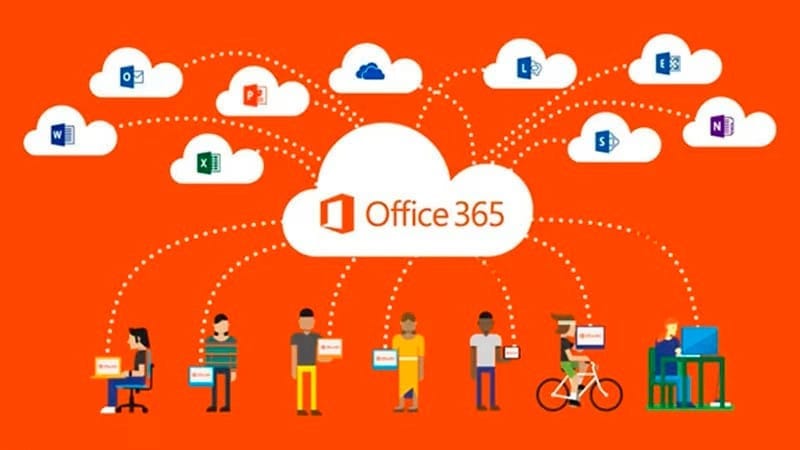
Microsoft rebranded Office 365 to Microsoft 365 in April 2020. The core apps (Word, Excel, PowerPoint, Outlook) remain the same. Microsoft 365 plans bundle additional services like Windows licensing, security tools, and device management that Office 365 plans did not include. For a deeper dive, see our Microsoft 365 licensing guide.
Conclusion
There is no single "best" Microsoft 365 plan — the right choice depends on your team size, security requirements, compliance obligations, and budget. Here is the quick summary:
- Smallest budget, browser-based work: Business Basic ($6) or F1 ($2.25)
- Most SMBs: Business Standard ($12.50) — full desktop apps + email + Teams
- SMBs needing security: Business Premium ($22)
- Enterprises 300+ users: E3 ($36) for most, E5 ($57) for advanced security/analytics
- Frontline workers: F1 ($2.25) or F3 ($8) depending on editing needs
- Email-only needs: Exchange Online Plan 1 ($4) or Plan 2 ($8)
The smartest move is to work with a Microsoft Solutions Partner who can audit your needs, mix the right licenses, and get you volume pricing. Contact Medha Cloud for a free licensing consultation — we have helped hundreds of organizations across India and the US right-size their Microsoft 365 investment.
Get the most comprehensive Microsoft 365 plan with advanced security, compliance, and analytics.
Get Microsoft 365 E5Topics
Sreenivasa Reddy G
Founder & CEO • 15+ years
Sreenivasa Reddy is the Founder and CEO of Medha Cloud, recognized as "Startup of the Year 2024" by The CEO Magazine. With over 15 years of experience in cloud infrastructure and IT services, he leads the company's vision to deliver enterprise-grade cloud solutions to businesses worldwide.
More in Microsoft 365
View all
Microsoft 365 Migration Checklist — 27 Steps Before, During & After (2026)
11 min read
How Much Does Exchange to Microsoft 365 Migration Cost? (2026 Guide)
9 min read
Microsoft 365 Statistics 2026: Market Share, Adoption & Pricing Data
14 min read
Microsoft 365 Cost Optimization: How to Cut Your Licensing Spend by 30% Without Losing Features
22 min read
Microsoft 365 Security Checklist: 100 Settings Every IT Administrator Must Review
20 min read
Microsoft 365 Security Hardening Guide: 50 Critical Settings Every Business Should Enable
25 min read